

Platform Tour
The Operating System for Pentest Teams
One platform. Every workflow. From findings to client delivery.
You've seen how Cyver Core fits your operation. Here's everything inside.





Trusted By World Leading Cybersecurity Companies


1. Run the Operation
Plan, coordinate, and execute pentest engagements with structured workflows, team visibility, and operational consistency.
Scoping and engagement setup 
- Quotes and Statements of Work - Prepare quotes and SoWs, and send them to clients for approval and signature.
- Custom request forms - Collect assessment requests, scoping information, and client requirements.
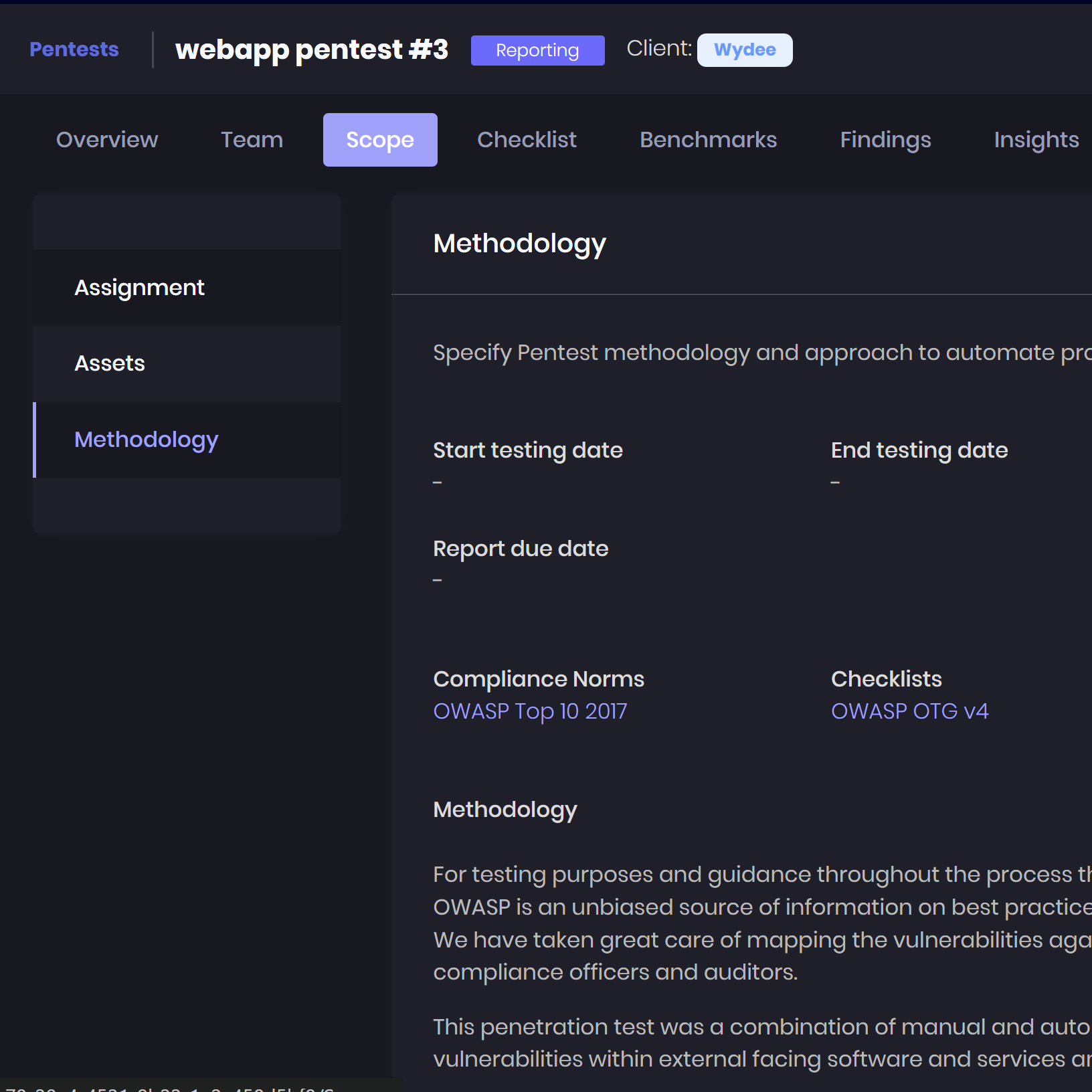
- Scope and asset management - Maintain target assets and engagement details, with Excel import and export.
- Reusable project templates - Standardize engagement setup with predefined workflows, checklists, and custom fields.
Workflow and resource planning 
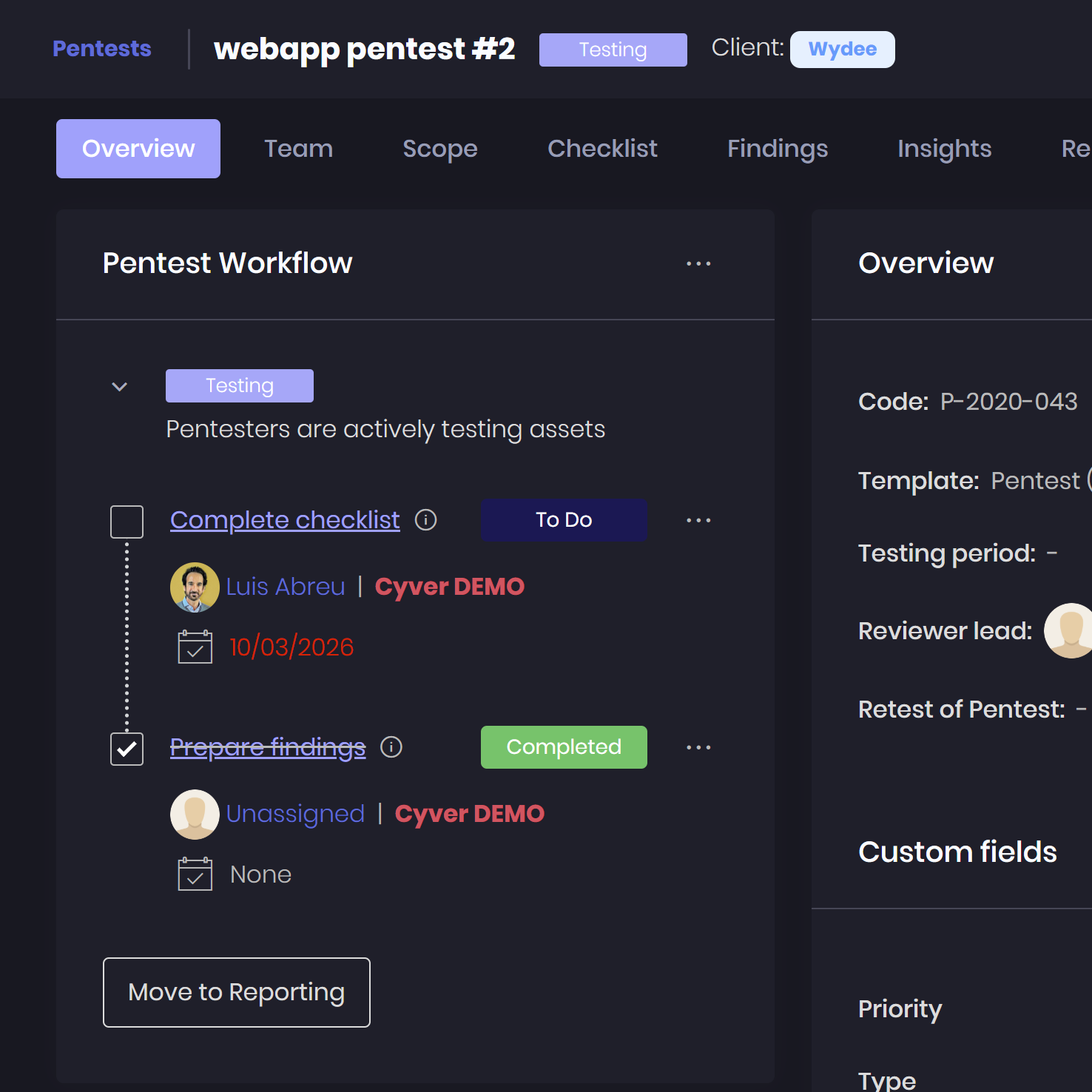
- Configurable project workflows - Define engagement stages and statuses to match your delivery process.
- Task ownership and deadlines - Assign responsibilities and due dates across testing, review, and delivery.
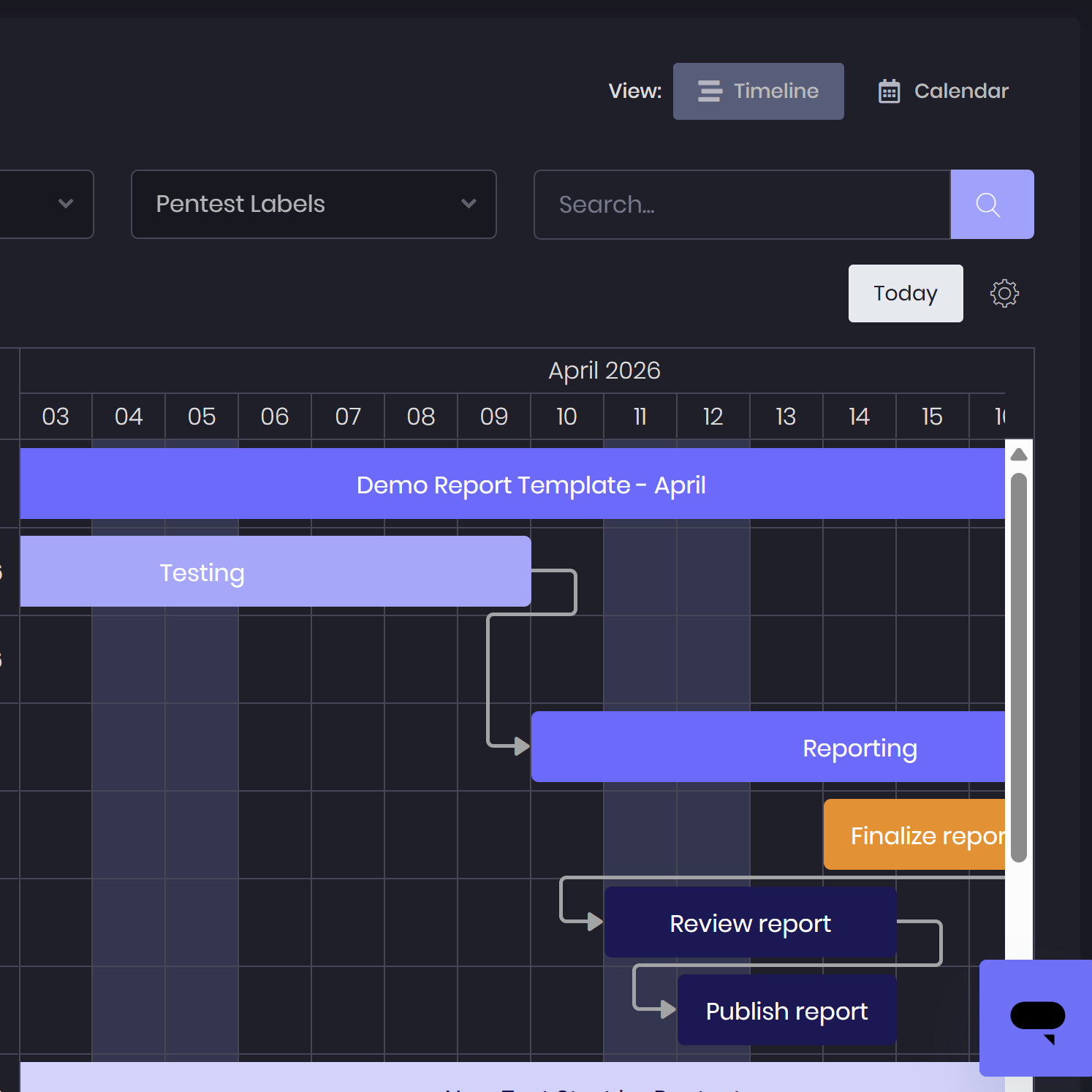
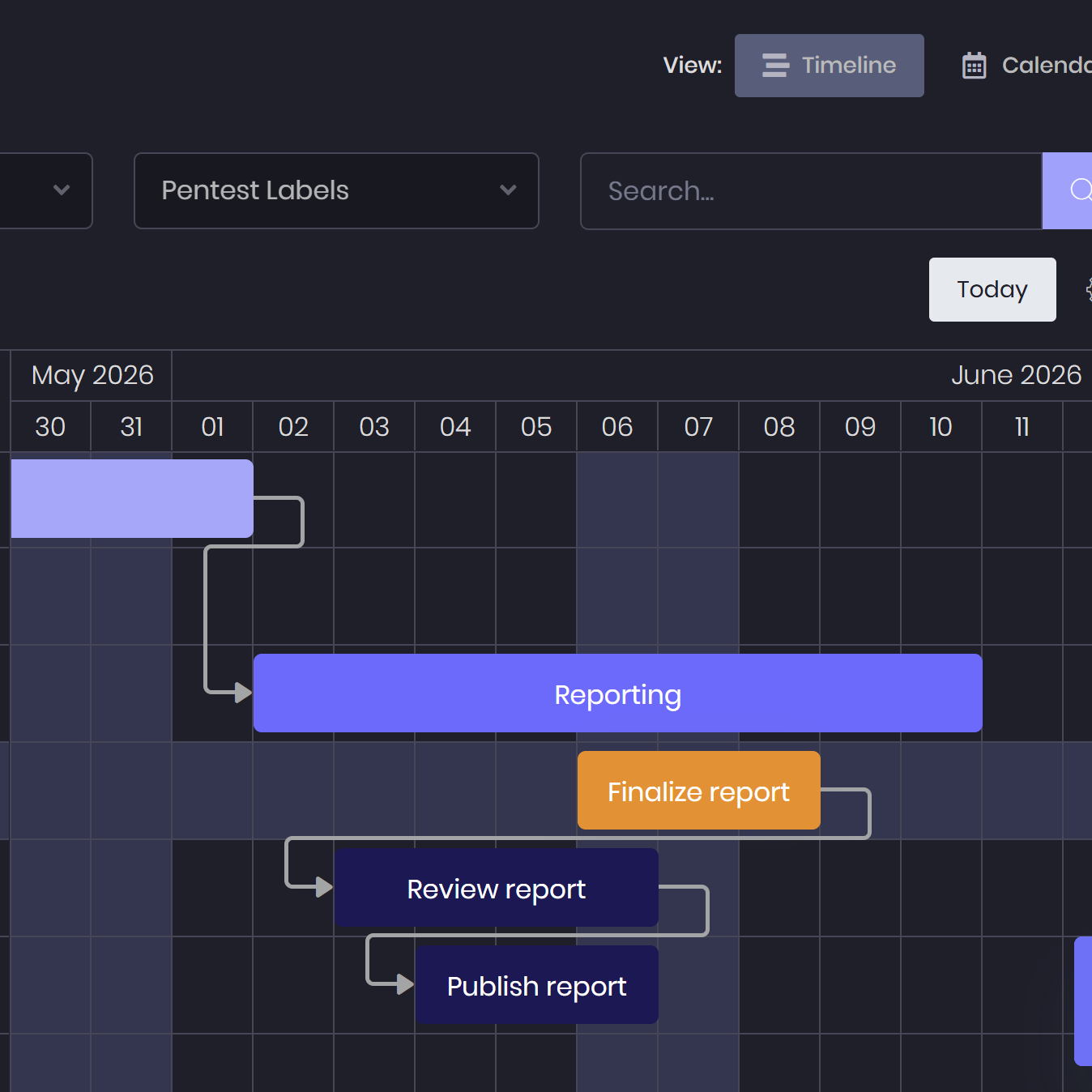
- Scheduling and resource planning - Coordinate pentester availability and parallel engagements through calendar and Gantt views.
- Timesheets - Record time spent on engagement work.
Team coordination and access 
-
Pentester teams - Organize testers into teams to support engagement delivery.
-
Roles and permissions - Configure access for managers, pentesters, and viewers.
-
Internal workflow tasks - Keep operational tasks separate from client-facing activity.
-
Internal notes and messages - Keep team discussions and operational context connected to the engagement.
2. Structured Testing Methodologies
Transform findings, testing activity, and tool output into structured security intelligence that supports analysis, reporting, and remediation.
Methodologies and assessment coverage 
-
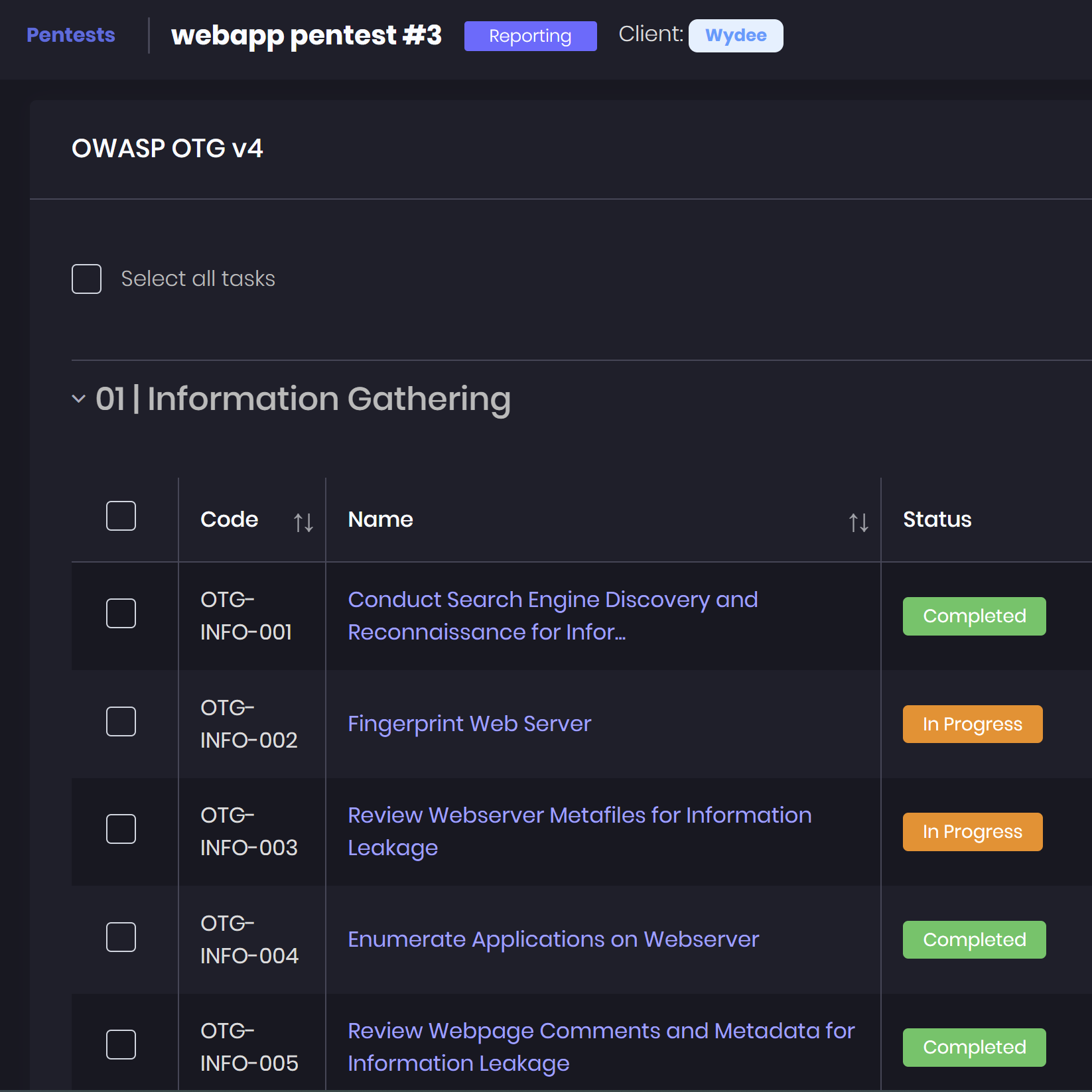
Standard and custom testing checklists - Use built-in methodologies such as OWASP OTG and ASVS, or create custom checklists for your assessment procedures.
-
Multiple methodologies and asset coverage - Combine checklists within one engagement, link testing tasks to assets, and export them for review.
-
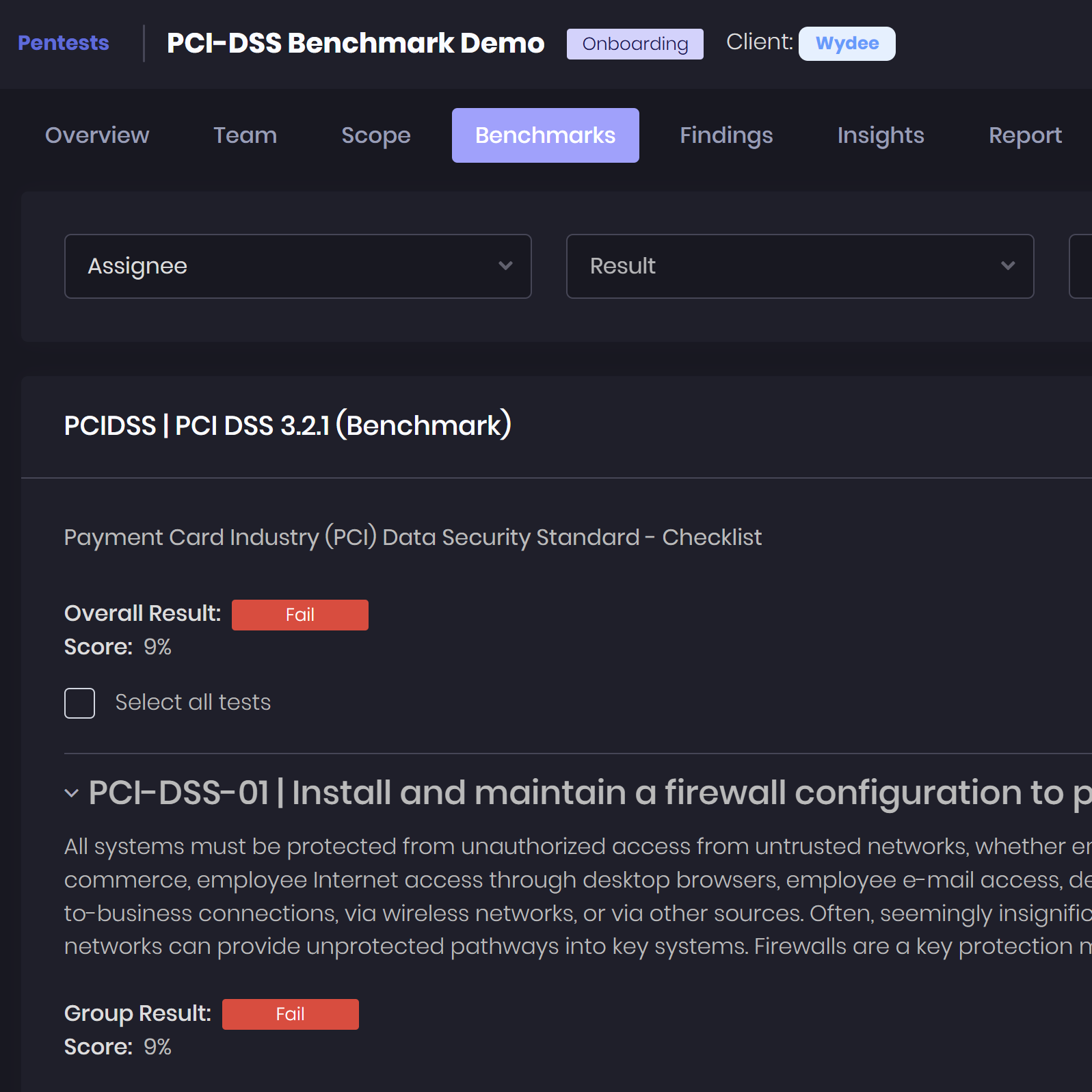
Technical benchmarks - Assess security configurations against included CIS Benchmarks and other technical baselines.
-
Compliance standards and security frameworks - Map findings and assessment coverage to included standards and frameworks such as OWASP Top 10 and PCI DSS.
Findings and evidence 
-
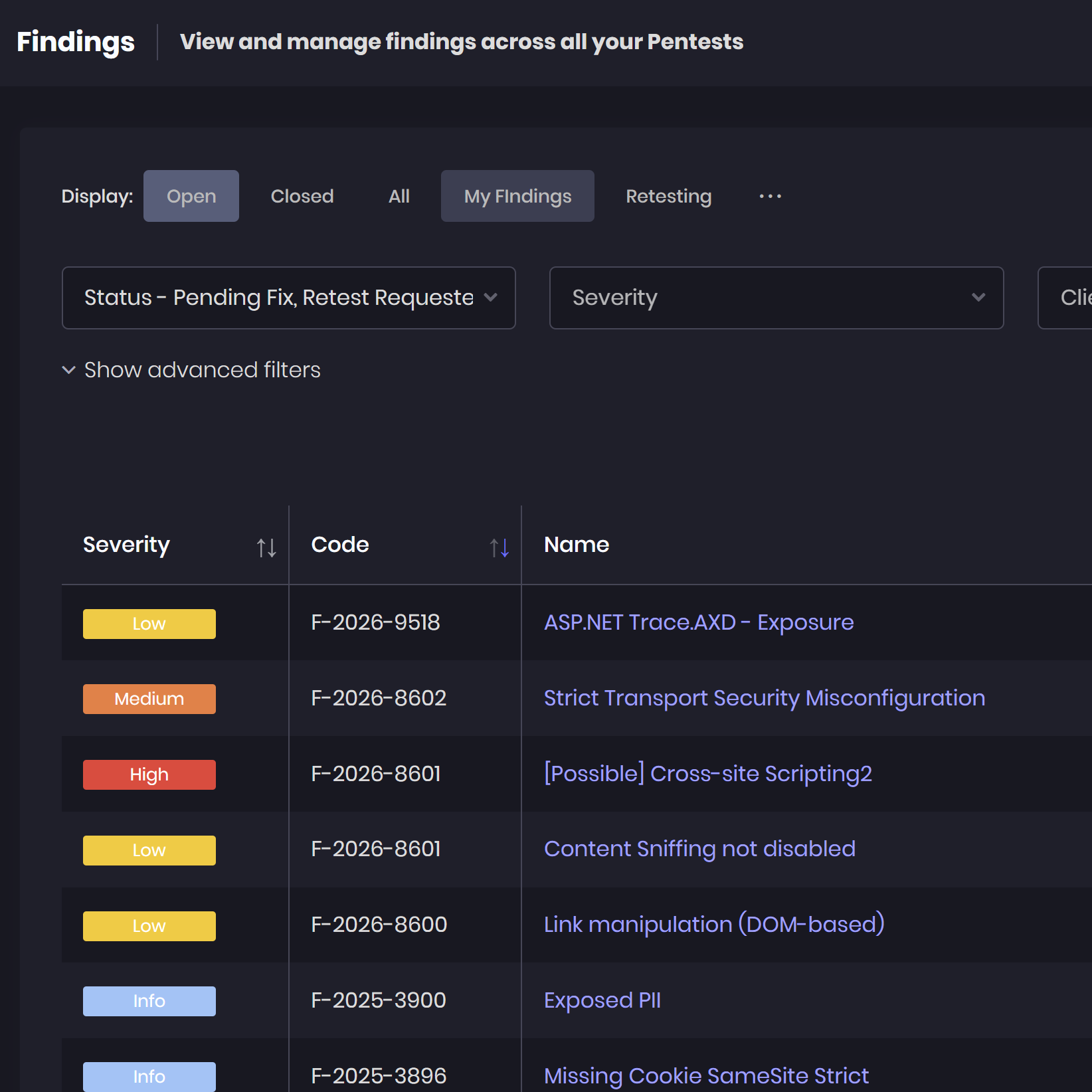
Tool imports and data exchange - Import findings and scan results from Burp Suite, Nessus, Nmap, Qualys, and other supported tools, with XML, CSV, and Excel support for data exchange.
-
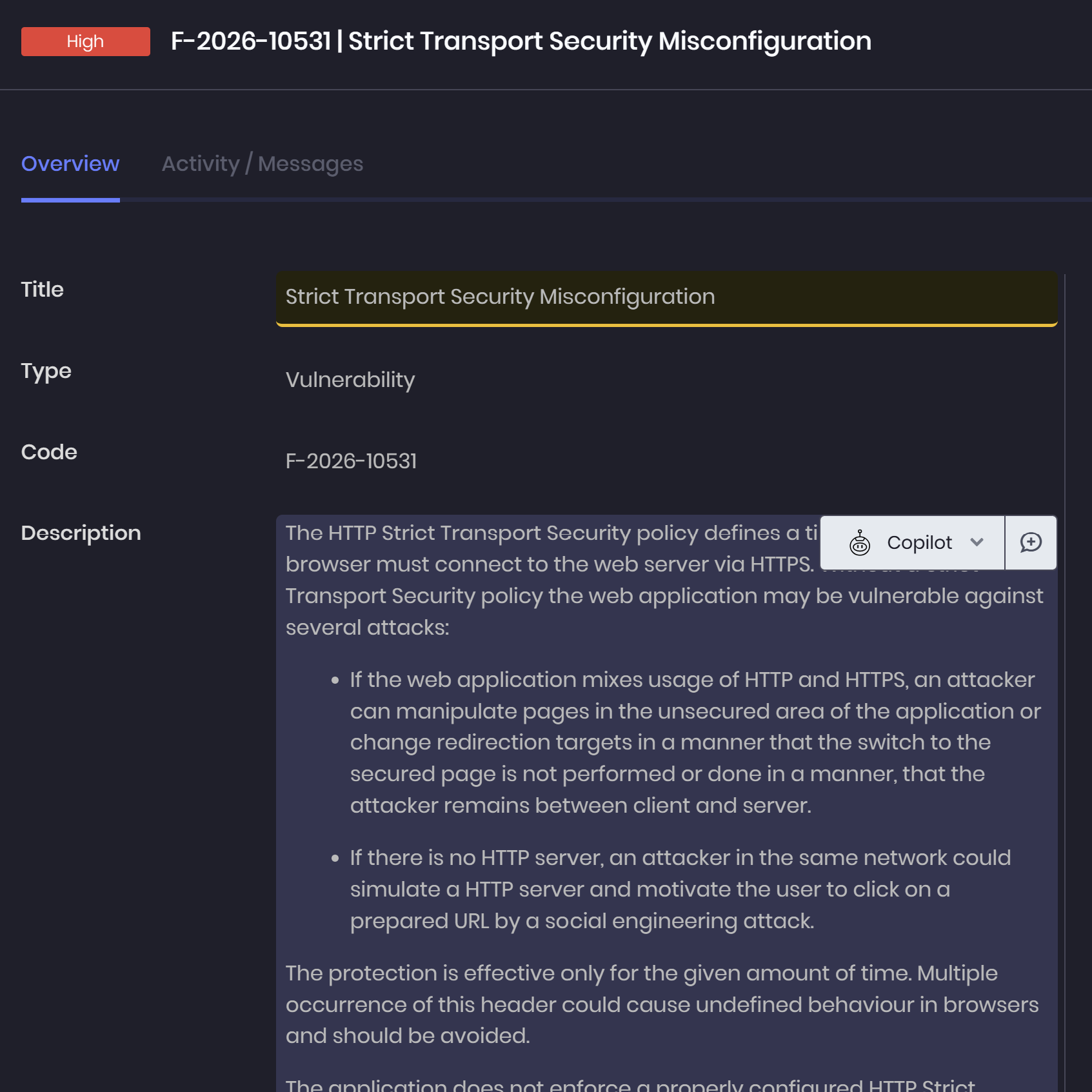
Finding libraries and enrichment - Reuse vulnerability write-ups and populate references from CVE, CWE, and Exploit-DB.
-
Evidence and custom fields - Organize supporting evidence and adapt finding documentation to your methodology.
-
Finding consolidation and relationships - Merge or clone entries, connect related issues, and organize parent and sub-findings.
Attack analysis and continuous validation 
- Scenarios and ATT&CK mapping - Define attack objectives and associate steps with relevant tactics and techniques.
- Attack chains and mitigations - Visualize attack progression, record timestamps, and document where defenses could interrupt the chain.
- Continuous projects and recurrences - Organize ongoing testing runs and track findings that reappear.
- Finding and project retests - Coordinate follow-up testing and record whether remediation addresses the reported issues.
3. Deliver & Collaborate
Turn technical findings into professional client delivery with streamlined reporting, collaboration workflows, and continuous remediation tracking.
Report authoring and automation 
-
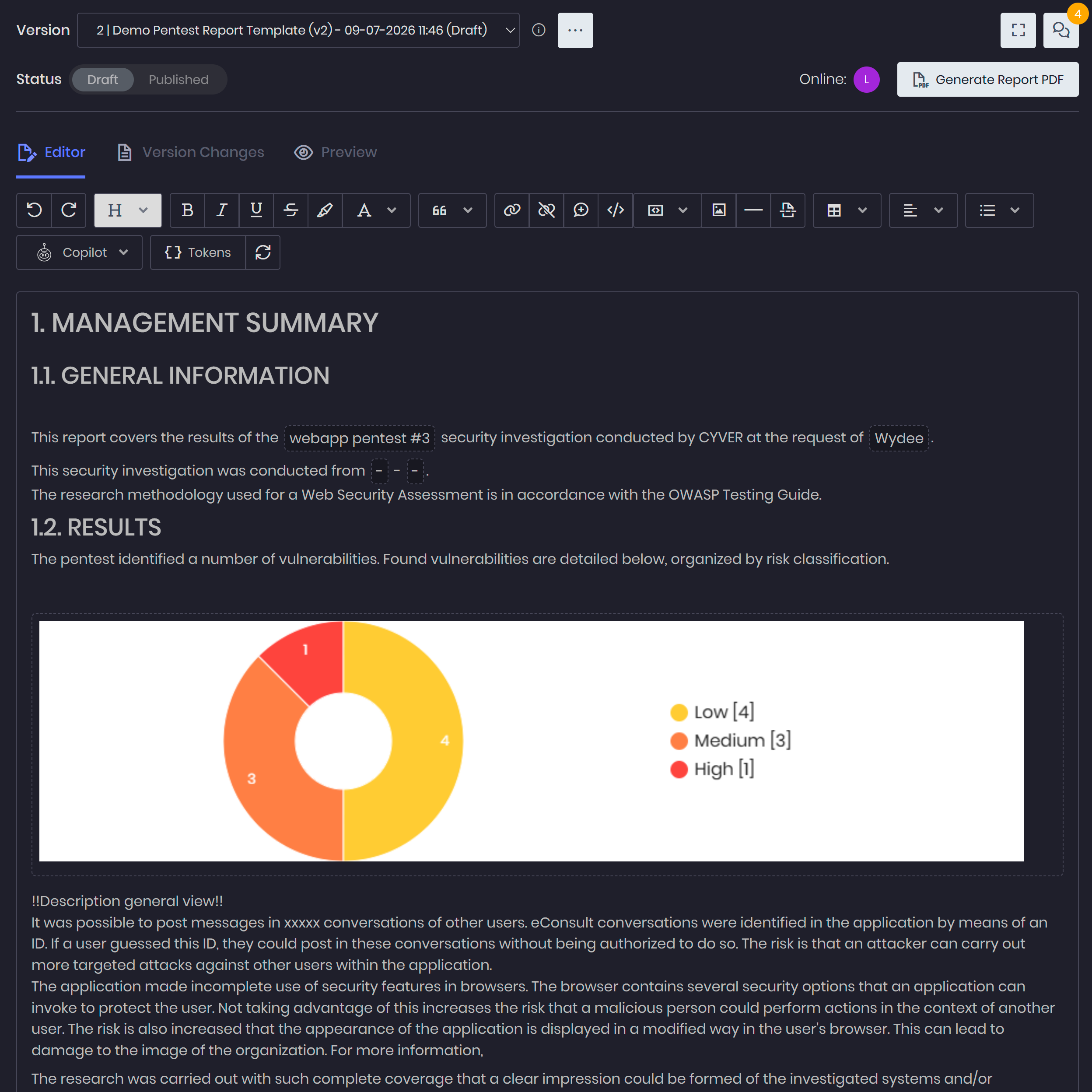
Markdown and rich-text editors - Write technical findings, methodology sections, and executive summaries.
-
Flexible report templates - Use master templates, optional sections, and multiple report templates per engagement.
-
Dynamic tokens and reusable content - Populate reports with project data, finding details, attack-chain diagrams, and common text blocks.
-
Branded, multilingual deliverables - Customize report styling and navigation, with PDF generation and Word or HTML export.
QA Review and AI assistance 
- Real-time collaborative editing - Work on the same report with teammates during preparation and review.
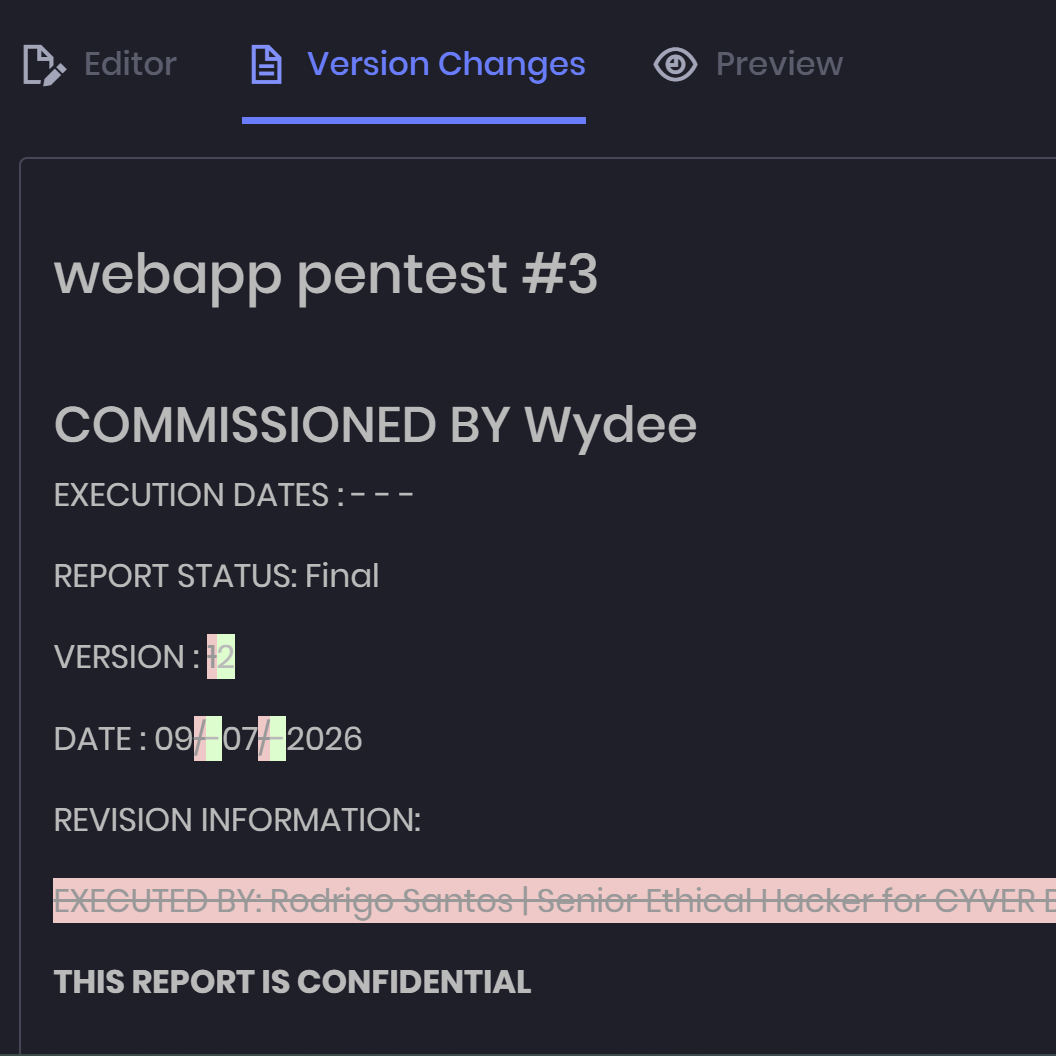
- Quality review and versioning - Manage report comments and revisions, with review workflows for findings and libraries.
- Contextual AI copilot - Draft findings and executive summaries, then refine content through custom editing prompts.
- MCP-connected assistants - Connect compatible AI tools such as ChatGPT and Claude to retrieve project context, inspect evidence, and update permitted data.
Client delivery and remediation 
-
Branded client portal - Share reports, findings, and files with configurable client access.
-
Client communication and retests - Coordinate updates, remediation discussions, and retest requests through the portal.
-
Remediation SLAs and ticketing - Track remediation timelines and connect findings with Jira, Azure DevOps, and other supported systems.
-
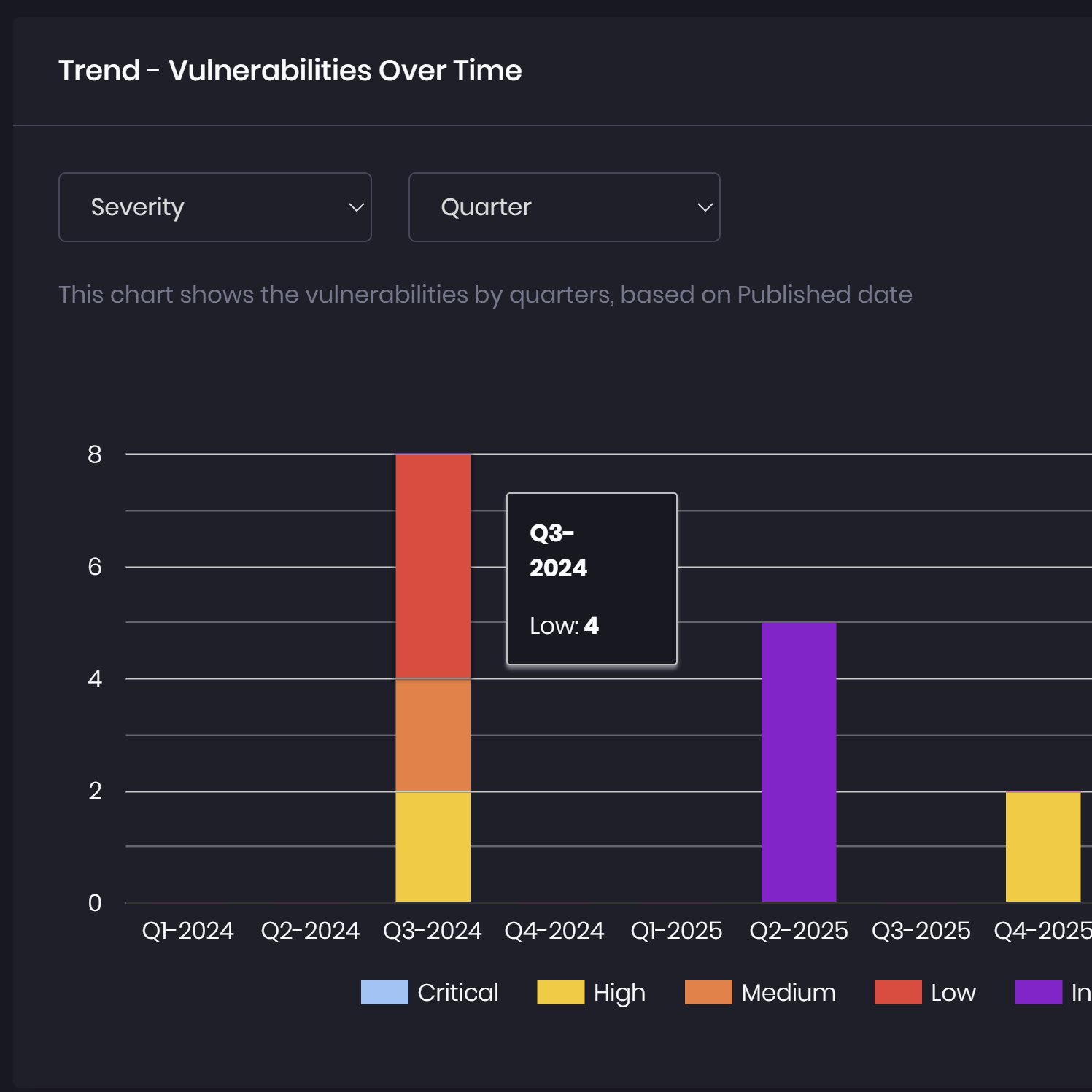
Dashboards and finding exports - Share risk summaries, remediation trends, time-to-fix insights, and finding data in Excel.
Process
Built Around the Real Pentest Lifecycle
Cyver Core structures every phase of pentest operations into one connected workflow.

1. Onboarding & Scoping
2. Testing & Execution


3. Findings & Analysis
4. Reporting & Communication


5. Remediation & Continuous Improvement
%
Customer Satisfaction
%
Customer Retention
%
Reporting Time
%
Repetitive Work
THE PLATFORM FOUNDATION
The Platform Behind the Operations
Cyver Core provides the infrastructure, security, and flexibility required to support modern pentest operations at scale.
Hosting & Deployment
Deploy Cyver in the cloud, on private infrastructure, or on-premise to match your security and compliance requirements.

Security & Access Control
Enterprise-grade security, SSO, role-based permissions, and secure data isolation designed for offensive security teams.
API & Integrations
Connect Cyver with your existing tooling using REST APIs, webhooks, scanners, and workflow integrations.
GenAI Copilot
Accelerate reporting and documentation workflows with contextual AI assistance embedded directly into the platform.

White-label & Customization
Customize portals, workflows, templates, and branding to align Cyver with your operational processes.
Dedicated Development & Support
Get the product features your enterprise needs to match complex workflows and get a dedicated support team.
Hosting & Deployment
Deploy Cyver in the cloud, on private infrastructure, or on-premise to match your security and compliance requirements.
Security & Access Control
Enterprise-grade security, SSO, role-based permissions, and secure data isolation designed for offensive security teams.
API & Integrations
Connect Cyver with your existing tooling using REST APIs, webhooks, scanners, and workflow integrations.
GenAI Copilot
Accelerate reporting and documentation workflows with contextual AI assistance embedded directly into the platform.
White-label & Customization
Customize portals, workflows, templates, and branding to align Cyver with your operational processes.
Dedicated Development & Support
Get the product features your enterprise needs to match complex workflows and get a dedicated support team.

Use Cases
One Platform. Every Workflow.
Cyver Core provides the infrastructure, security, and flexibility required to support modern pentest operations at scale.
Pentest Reporting
Red Teaming
Pentest-as-a-Service
CTEM
Audit & Benchmarks
SOC
Vulnerability Management

From Pentest report automation to full Client Collaboration, we've got your covered!
Whitepaper
Download the full feature list & product tour
Download our Product Tour Brochure to see features, benefits, and Cyver Core's offerings in a shareable and printable PDF format.

Any questions?
We're here to help
What is a Pentest Management Platform?
Pentest Management Platforms like Cyver Core digitize pentest workflows, replacing manual communication and reports with digital workflows. It means real-time results, live communication with clients, and findings as tickets. Plus, we offer automated pentest reporting, complete with integrations for tools like Burp Suite, Nessus, NMap, & more. Our goal is to help pentesters save time (70-85% of time spent on every report), reduce overhead hours for pentest management, and deliver pentest-as-a-service to clients.
How is Cyver Core Secured?
Cyver Core is fully secured, regularly pentested, and regularly backed up. We maintain SOC2 compliant infrastructure, as verified by external auditors. All user data is stored redundantly and automatically backed up inside Microsoft Azure architecture, with fully redundant server architecture and network connectivity. We take security seriously, and you can see a full list of our security practices in our security policy.
Will My Clients See I Use Cyver Core?
No! Cyver Core is fully white label. When you onboard your clients to our platform, they see your branding and brand name. You can also fully customize reports, project templates, and other digital assets. Your clients, your brand, your digital privacy, powered by Cyver Core.
How Does Cyver Core Automate Workflows?
Cyver Core utilizes standardized workflows to automatically progress projects based on pre-defined parameters and settings. You set up project templates and Cyver Core automatically performs workflows inside those, to move the project from one stage to the next, to create Findings tickets from imported data, to notify stakeholders, and to schedule the next pentest. In addition, Cyver Core uses automation and Smart features to auto-fill tickets, to create projects, and to generate reports, so you have to do the minimum manual work possible. Visit our features page to learn more.