A New Writing Experience for Pentest Reports
Creating a pentest report is rarely a one-person task. Pentesters contribute technical findings, reviewers check accuracy and consistency, and project leads ensure the final report communicates the right message to the client.
The new Cyver Collaboration Report Editor brings these activities together in one modern editing environment.
With a rich text editing experience, real-time collaboration, comments, contextual actions, and interactive report tokens, security teams can now write, review, and finalize reports together—without switching between separate documents, tools, and communication channels.
Write Reports with a Modern Rich Text Editor
The Collaboration Editor replaces the traditional Markdown-based writing experience with a WYSIWYG editor: what you see while editing closely reflects how the content will appear in the final report.
Users can format report content through a familiar toolbar, including:
- Headings and text styles
- Bold, italic, underline, and strikethrough
- Text colors and highlighting
- Quotes and code formatting
- Links and images
- Tables and separators
- Numbered and bulleted lists
- Text alignment
This makes report writing more accessible for everyone involved in the review process. Technical users can focus on documenting findings, while editors and project managers can improve structure and language without needing to work with Markdown.
Collaborate in Real Time
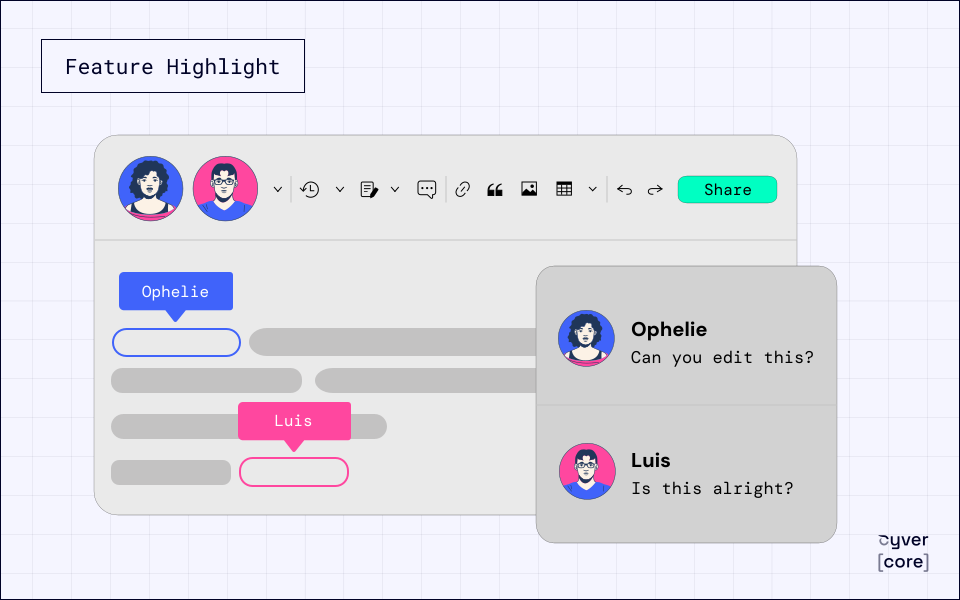
Multiple users can work on the same report simultaneously.
Team members can see who else is currently online and contribute directly to the report without creating separate copies or waiting for another user to finish editing.
This is especially valuable for larger or time-sensitive engagements where different specialists are responsible for separate sections of the report. Pentesters can document technical findings while reviewers refine the management summary, methodology, or remediation guidance—all within the same report.
The result is a more connected workflow with fewer handovers, fewer document versions, and less manual consolidation.
Review Reports with Contextual Comments
Comments are integrated directly into the editor.
Users can select a specific piece of text and attach a comment to it, making it clear exactly which sentence, finding, or recommendation requires attention.
Teams can use comments to:
- Request clarification from a pentester
- Suggest alternative wording
- Ask for additional technical evidence
- Flag inconsistencies or missing information
- Coordinate internal report reviews
- Discuss changes without modifying the report content
Because feedback remains connected to the relevant text, reviewers no longer need to describe where a change should be made or manage comments in a separate communication tool.
Work with Interactive Report Tokens
Report tokens are a core part of Cyver’s automated reporting engine. They pull structured information from projects, findings, clients, and other platform data directly into the report.
In the new Collaboration Editor, token output is displayed directly inside the document. Users can immediately see the generated content and interact with it without leaving the editor.
From the report, users can:
- Open and edit the token configuration
- Refresh the output of an individual token
- Remove a token from the report
Refreshing a single token is particularly useful when project or finding information changes. Instead of regenerating the complete report, users can update only the relevant content and immediately review the result.
This creates a more intuitive connection between automated report generation and manual report editing.
Improve Content with the AI Copilot
The Collaboration Editor also integrates with Cyver’s AI Copilot.
When users select text, they can access AI-assisted actions to rewrite, improve, expand, summarize, or otherwise refine the content. This allows teams to improve report language directly within the editing workflow while keeping human reviewers in control of the final result.
Combined with real-time collaboration and comments, the AI Copilot helps teams move more efficiently from technical notes to polished, client-ready reporting.
Built for Collaborative Security Teams
The Collaboration Report Editor is designed for organizations where reports pass through multiple contributors and review stages.
It is particularly useful for:
- Pentest service providers with dedicated quality-assurance processes
- Enterprise security teams working across multiple departments
- Large or complex penetration testing engagements
- Reports involving several technical specialists
- Distributed and remote security teams
- Projects with strict reporting deadlines
Instead of managing report content through fragmented files and communication channels, the complete writing and review process takes place inside Cyver.
Why You’ll Love It
- Write reports using a modern rich text editor
- Collaborate with multiple users in real time
- See who is currently working on the report
- Attach comments directly to selected text
- Review and refine content without separate documents
- Edit and refresh report tokens within the editor
- Use AI assistance on selected report content
- Reduce version conflicts and manual report consolidation
- Move faster from technical findings to a client-ready report
See the Collaboration Editor in Action
The new Collaboration Report Editor transforms pentest reporting from a sequential document-writing process into a shared, interactive workflow.
Pentesters, reviewers, and project leads can work together in the same environment, manage feedback in context, interact directly with automated content, and produce consistent, professional reports more efficiently.
Ready to experience a better way to write and review pentest reports?
Request a demo and discover the new Cyver Collaboration Report Editor.
Group Related Findings
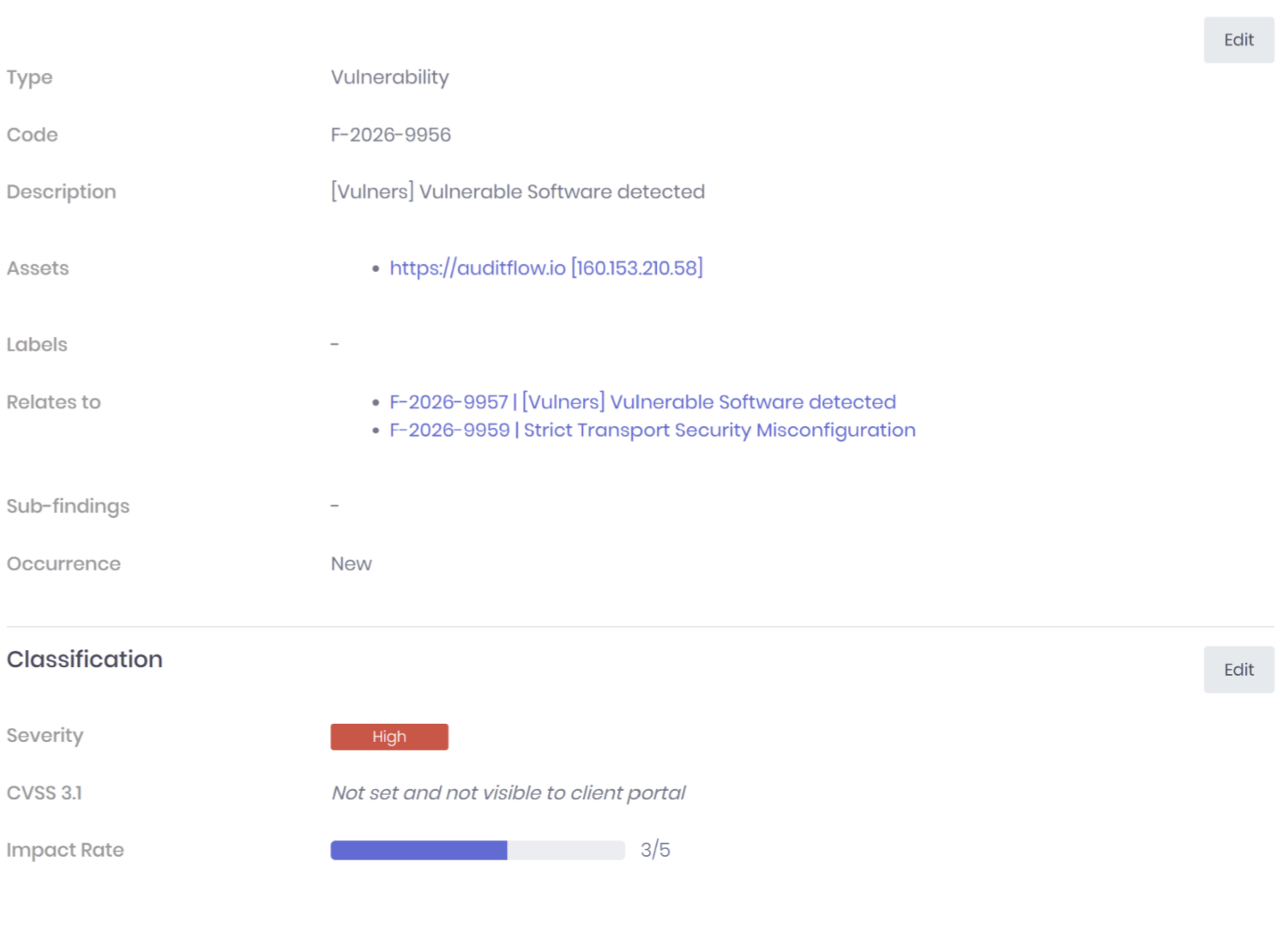
Many vulnerabilities are closely connected but should remain independent findings.
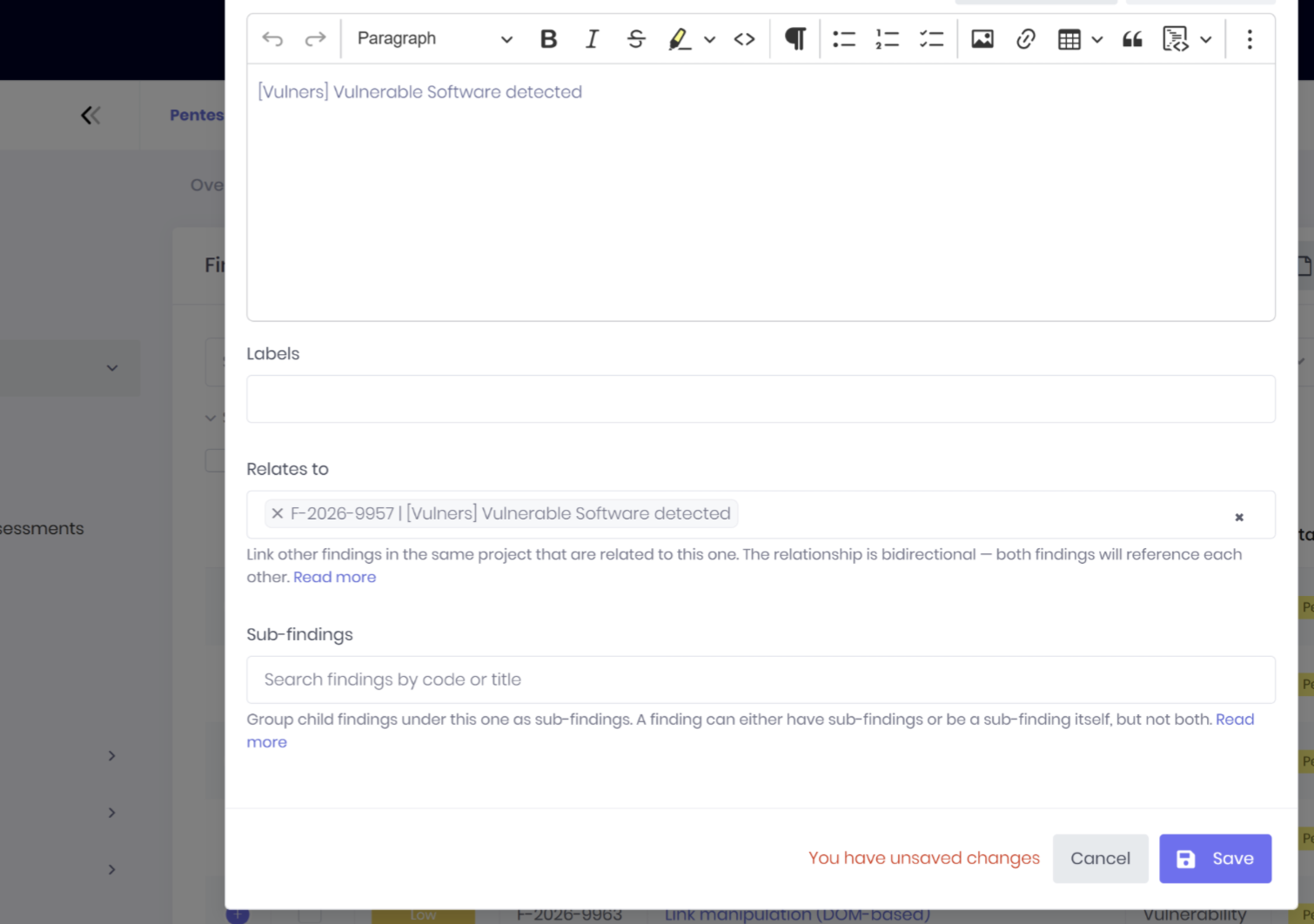
Finding Relations allow you to link these findings together, making it easier for consultants to understand dependencies and maintain consistency throughout the assessment.
Typical examples include:
- Multiple weaknesses contributing to the same attack scenario
- Related configuration issues across different systems
- Similar vulnerabilities affecting multiple applications
- Findings that share remediation recommendations
The relationships remain available throughout the engagement while keeping each finding individually manageable.
Create Structured Parent and Sub-Findings
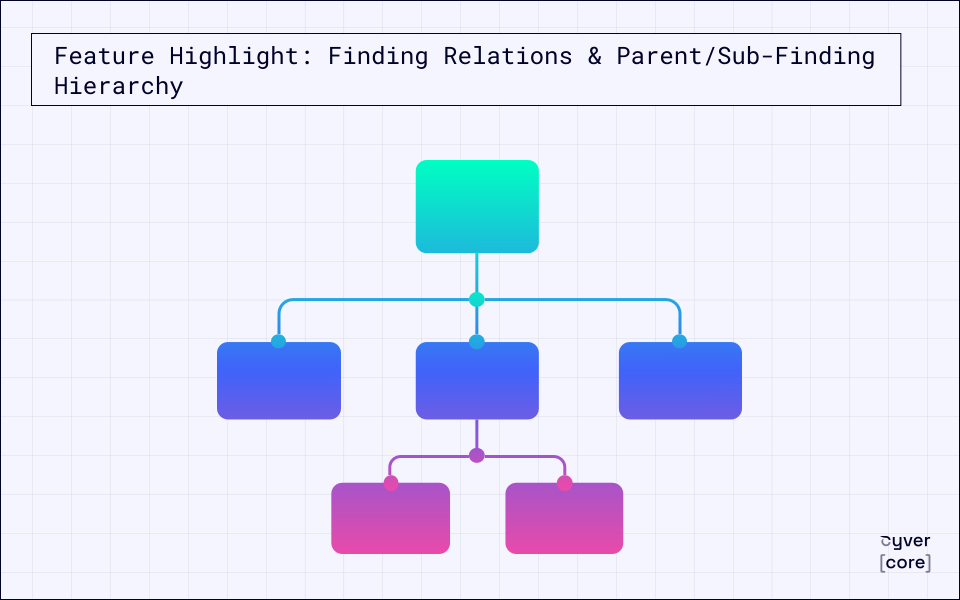
For more advanced engagements, findings can now be organized into hierarchies.
A parent finding provides the overall security issue, while sub-findings document the individual technical observations that support it.
This is particularly valuable for:
- Complex attack chains
- Multi-step exploitation scenarios
- Infrastructure-wide security issues
- Large application assessments with multiple affected components
Instead of producing long flat lists of findings, reports become significantly easier to read while preserving all technical detail.
Automatically Generate Structured Reports
One of the biggest advantages of the new hierarchy is its integration with Cyver's reporting engine.
The complete finding structure can be mapped directly to report tokens, allowing report templates to automatically generate the desired layout.
This means:
- Parent findings appear with their associated sub-findings
- Related information is presented consistently
- No manual report editing is required
- Every generated report follows your organization's preferred structure
Consultants spend less time formatting reports and more time delivering valuable security insights.
Designed for Complex Assessments
Finding Relations and Parent/Sub-Finding Hierarchy are especially useful for:
- Enterprise penetration tests
- Red team engagements
- Multi-application assessments
- Infrastructure security reviews
- Long-term security projects with numerous findings
As engagements grow in complexity, your findings remain organized, traceable, and easy to communicate.
Why You'll Love It
- Organize findings in a way that reflects real-world testing
- Group related vulnerabilities without losing individual tracking
- Create parent and sub-finding hierarchies for complex issues
- Automatically generate structured reports using report tokens
- Reduce manual report editing and improve consistency
- Deliver clearer reports for both technical and executive audiences
See It in Action
Finding Relations and Parent/Sub-Finding Hierarchy help security teams transform large, complex assessments into clear, structured reports that are easier to understand, review, and act upon.
Ready to simplify complex penetration testing reports?