
A Better Way to Work with Pentest Findings
Findings are at the center of every penetration test. Pentesters create them, refine technical details, calculate risk, add evidence, collaborate with reviewers, and ultimately turn them into client-ready report content.
With the new Finding Experience in Cyver Core, we’ve redesigned that workflow around speed, focus, and collaboration.
A streamlined preview experience, inline editing, comments, collaborative rich text, and a new CVSS calculator make it easier to move from technical discovery to a complete, reviewed finding, without constantly switching screens or interrupting your workflow.
Review Findings Without Losing Context
Working through a large list of vulnerabilities often means repeatedly opening findings, navigating back to the overview, and finding your place again.
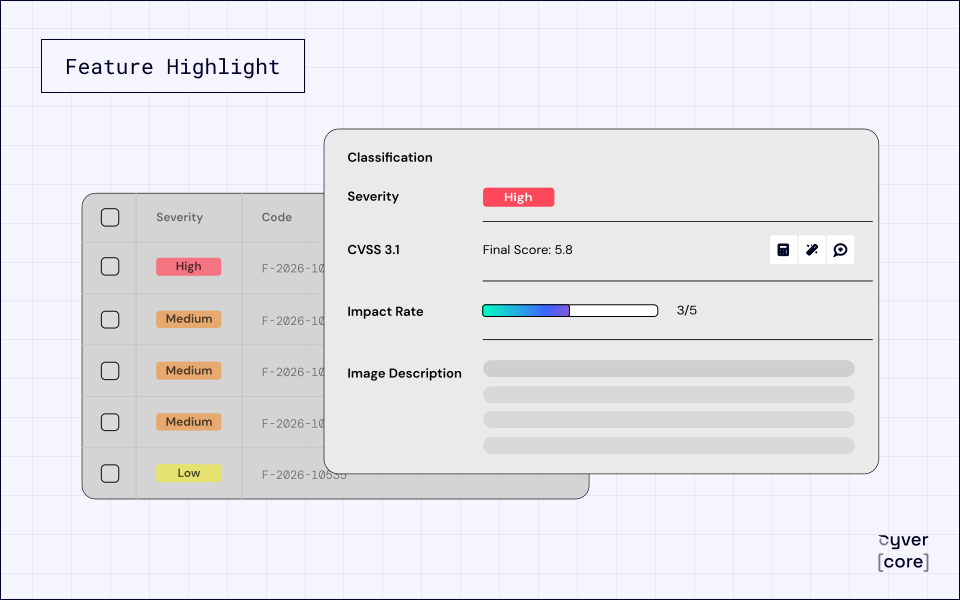
The new Finding Experience introduces a streamlined preview drawer directly from the findings grid.
Pentesters can quickly open a finding, review its details, make changes, and continue working through the assessment without leaving the current view.
This makes reviewing dozens—or hundreds—of findings significantly faster and keeps the focus on the assessment instead of navigation.
Edit Findings Directly Inline
Editing a finding no longer requires opening a separate edit screen or large modal.
Simply click into a field and start editing.
The new inline editor lets pentesters update descriptions, impact, recommendations, technical details, and other finding information directly where they are reviewing it.
Changes are automatically saved, reducing unnecessary clicks and making small updates much faster.
The editor also integrates with Cyver’s GenAI Copilot, allowing pentesters to improve or rewrite content directly within the finding workflow.
Collaborate on Findings in Real Time
Findings are rarely written in isolation.
A consultant may document the vulnerability, another specialist may add technical context, and a reviewer may refine the language before the report reaches the client.
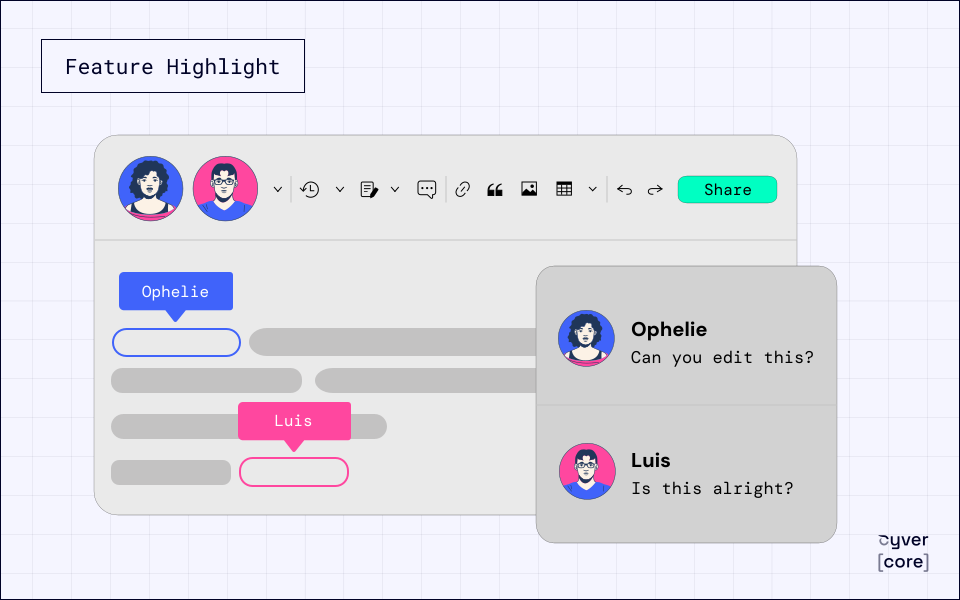
With the new collaborative editing experience, multiple users can work on the same finding simultaneously.
Instead of handing findings back and forth or waiting for another team member to finish editing, teams can collaborate directly inside Cyver Core.
For larger engagements and distributed pentest teams, this helps shorten the path from initial discovery to reviewed, report-ready content.
Add Comments Directly to Findings
Not every review comment should immediately become part of the final finding.
The new Finding Experience introduces contextual comments, allowing team members to discuss specific content without changing the finding itself.
Comments can be attached directly to fields or specific pieces of text, making it immediately clear what the discussion refers to.
Teams can use finding comments to:
- Request additional technical information
- Ask for clarification from another pentester
- Suggest changes to remediation guidance
- Flag content for peer review
- Discuss severity or wording
- Tag relevant team members
- Assign follow-up due dates
Instead of moving these conversations to email, chat, or external documents, the discussion stays connected to the vulnerability itself.
Calculate Severity with the New CVSS Calculator
Risk scoring is another essential part of documenting a finding.
The new CVSS calculator brings an improved scoring experience directly into the finding workflow, making it easier for pentesters to configure the relevant metrics and determine the appropriate severity.
Rather than treating CVSS scoring as a separate step, risk assessment becomes part of the same streamlined experience used to document and review the vulnerability.
This helps teams work more efficiently while supporting more consistent scoring across findings and engagements.
Keep Findings and Reports Consistent
The new experience is also designed to create a smoother connection between documenting findings and producing the final report.
Projects can use the collaborative Rich Text editor across both findings and reports, helping preserve formatting as content moves through the reporting workflow.
For teams that prefer Markdown, the new Finding Experience can also work with a Markdown-based workflow.
This allows organizations to choose the editing model that fits their process while maintaining consistency between their source findings and generated reports.
Built for Faster Pentest Workflows
The biggest improvement is not any single feature—it is the reduction of friction throughout the entire finding workflow.
Pentesters can review a finding, edit its content, collaborate with colleagues, discuss changes, calculate severity, and continue working without repeatedly moving between screens and tools.
The new Finding Experience is especially useful for:
- Pentest teams managing large numbers of findings
- Multi-pentester engagements
- Organizations with dedicated peer-review or QA processes
- Distributed and remote security teams
- Projects with tight reporting deadlines
- Teams looking to standardize finding quality and risk scoring
The result is less time spent managing the finding and more time spent analyzing and communicating the vulnerability.
Why You’ll Love It
- Review findings from a streamlined preview drawer
- Edit fields directly inline
- Automatically save changes as you work
- Collaborate with multiple users on the same finding
- Add contextual comments for reviews and internal discussions
- Tag team members and manage follow-up actions
- Calculate severity with the new CVSS calculator
- Use GenAI Copilot directly within the editing workflow
- Maintain consistent formatting between findings and reports
- Reduce clicks and move faster through large assessments
See the New Finding Experience in Action
The new Finding Experience turns one of the most frequent workflows in penetration testing into a faster, more collaborative process.
From documenting the initial vulnerability to reviewing content and calculating severity, pentesters can now manage more of the finding lifecycle from one streamlined interface.
Spend less time navigating between screens and more time producing clear, consistent, high-quality security findings.
Ready to experience a better way to manage pentest findings?
Request a demo and discover the new Finding Experience in Cyver Core.