

Pentest Reporting
Pentest Reporting That Scales With Your Team
Turn findings from your tools into structured reports, enforce consistency across testers, and deliver professional results to clients.

Time saved per project
%
Time Spent on Reporting
Reports Generated last 12 month
Improve Operational Efficiency: 1-2h to Finalize Pentest Reports






Trusted By World Leading Cybersecurity Companies. 6.000+ Organizations Protected.


Reporting Becomes
the Bottleneck as Teams Grow 
As pentest teams scale:
- Findings come from multiple tools.
- Reports become inconsistent across testers
- Review and quality control take too long
- Delivery slows down projects
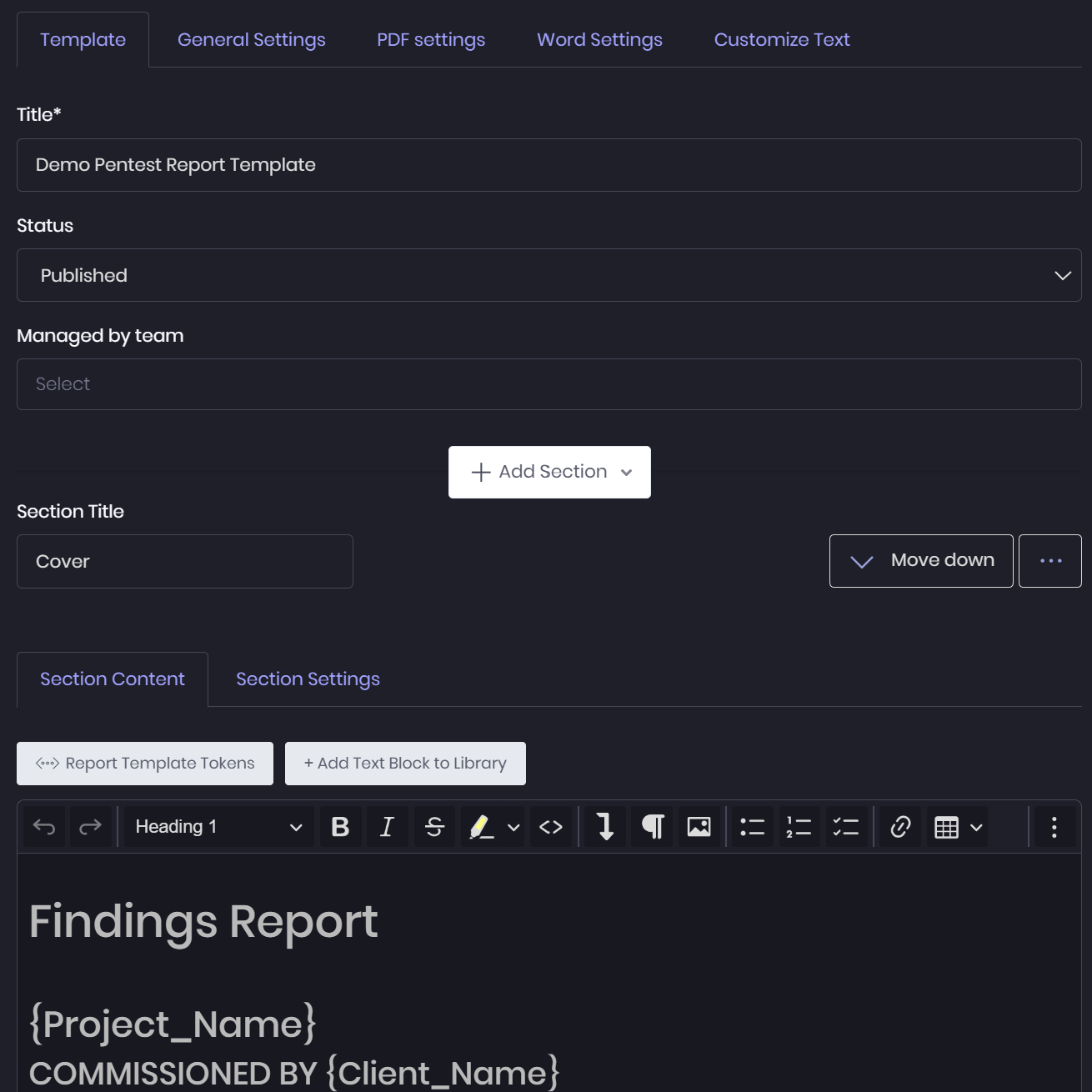
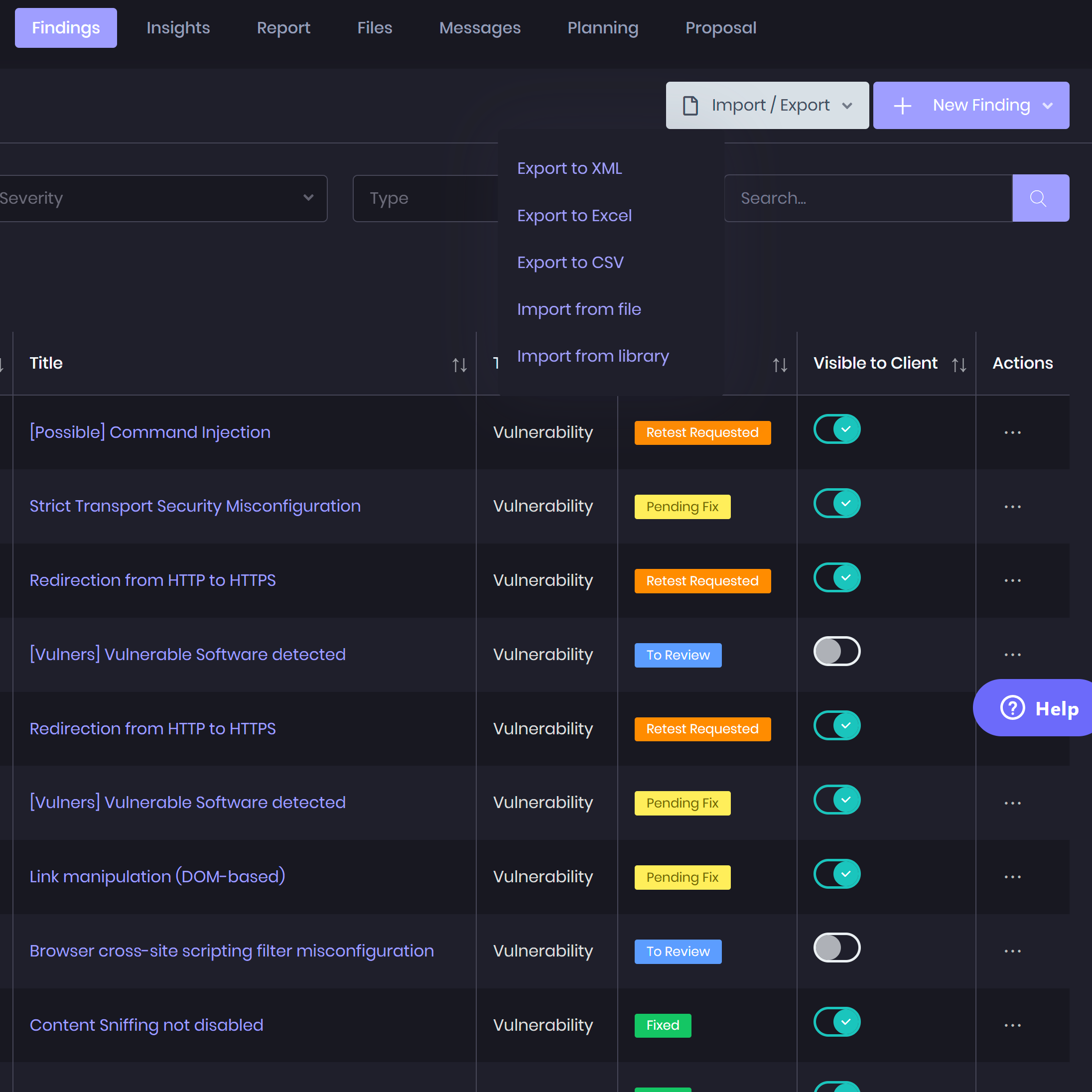
Bring Findings From Your Tools Into One
Reporting Workflow 
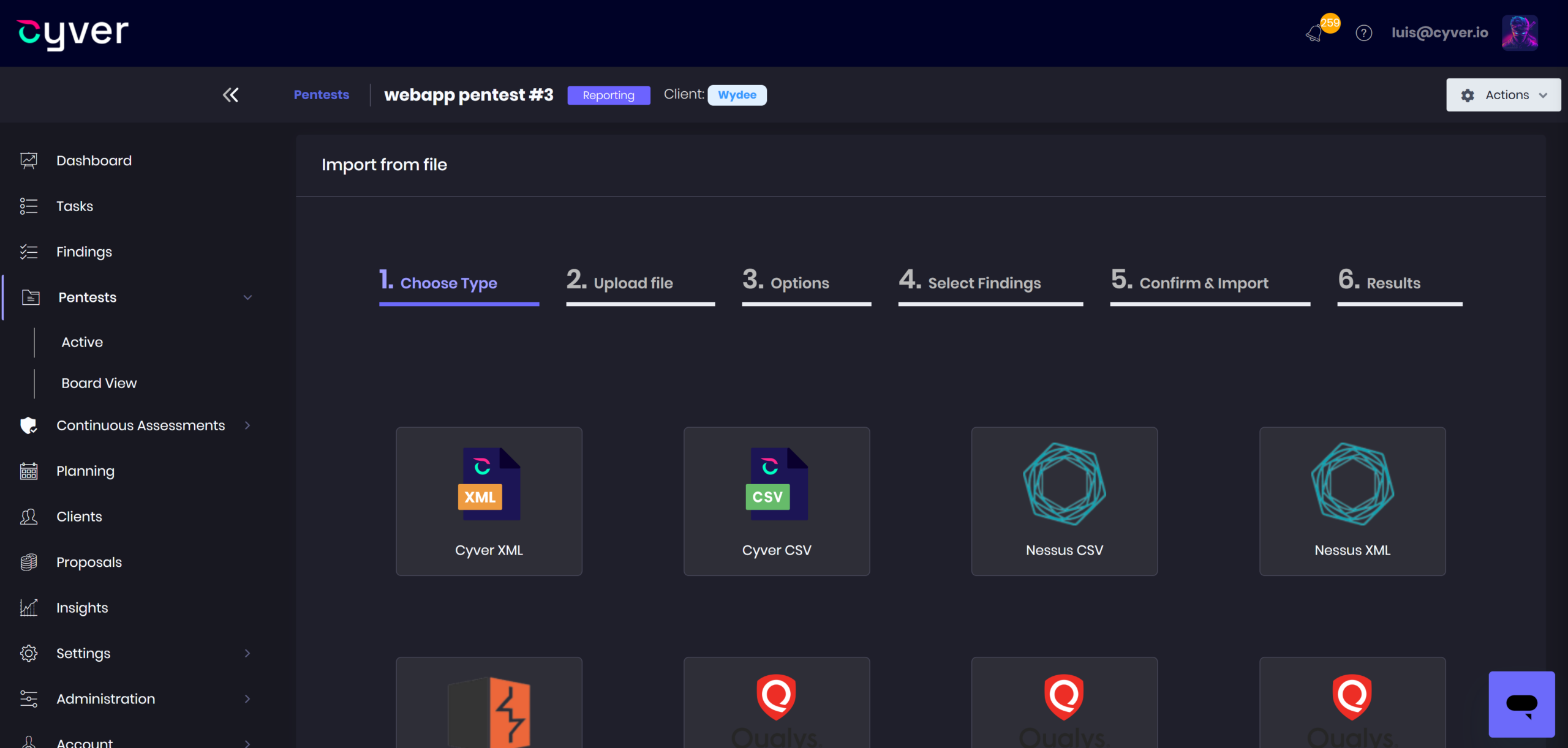
Pentesters use many tools during engagements. Cyver allows teams to centralize those results and turn them into structured findings ready for reporting. Learn more about Pentest Integrations
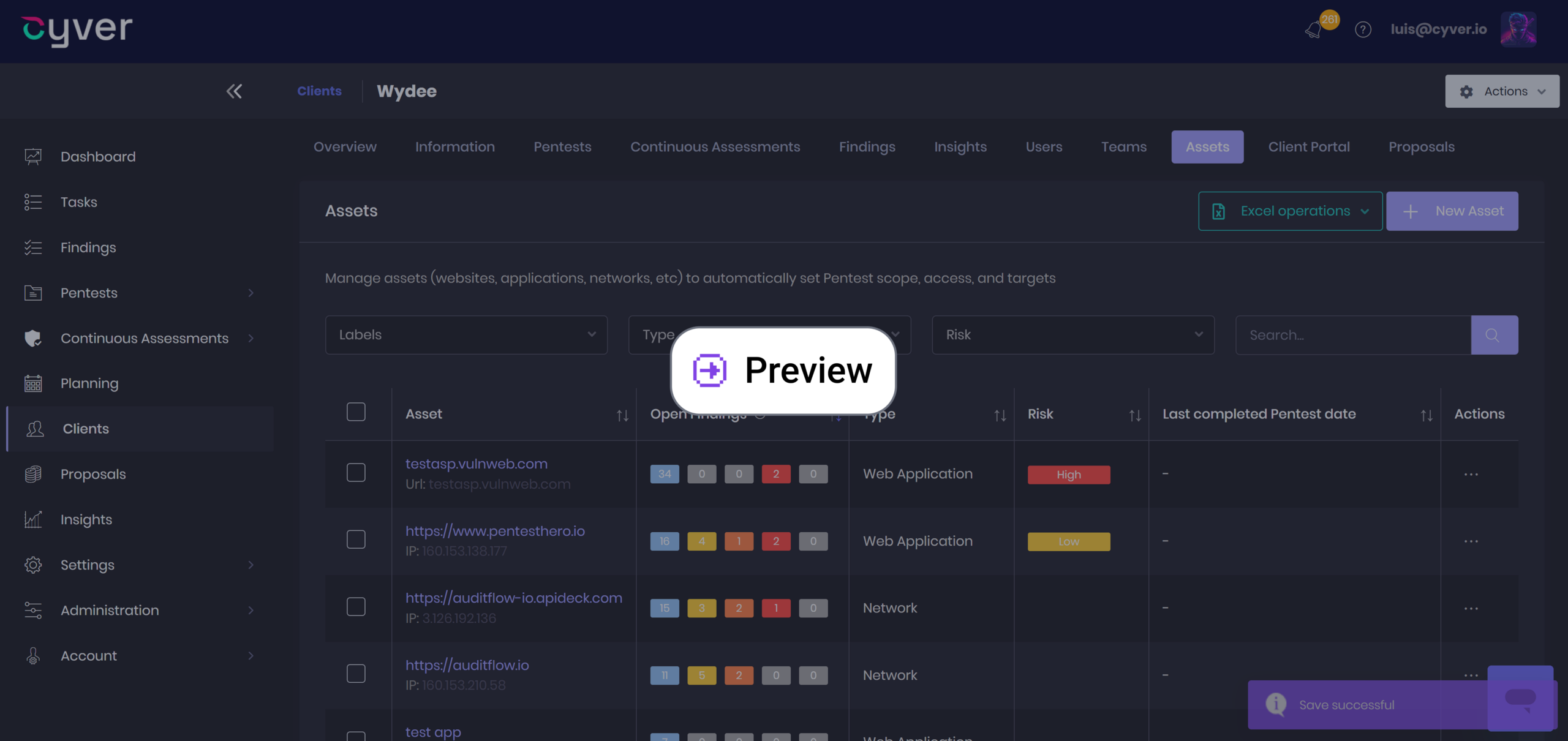
- Import findings from security tools
- Consolidate results into structured vulnerabilities
- Normalize data across engagements
- Track remediation with SLAs and retests

“You should see our reports, they’re beautiful, they’re curated, they have graphics and risk tables – and we spend less than 30 minutes on them.”
Features
A Reporting Experience
Built for Pentesters
Document evidence, reuse vulnerability write-ups, build custom reports, and collaborate on reviews in one reporting workflow.
Finding Management 
- Tool imports — Import findings from Burp Suite, Nessus, Qualys, and other supported tools.
- Evidence management — Add and organize supporting evidence alongside each finding.
- Vulnerability enrichment — Populate finding data with references from CVE, CWE, and Exploit-DB.
- Finding relationships — Connect related issues and organize parent findings with supporting sub-findings.
- Custom finding fields — Adapt finding documentation to your assessment methodology and client requirements.
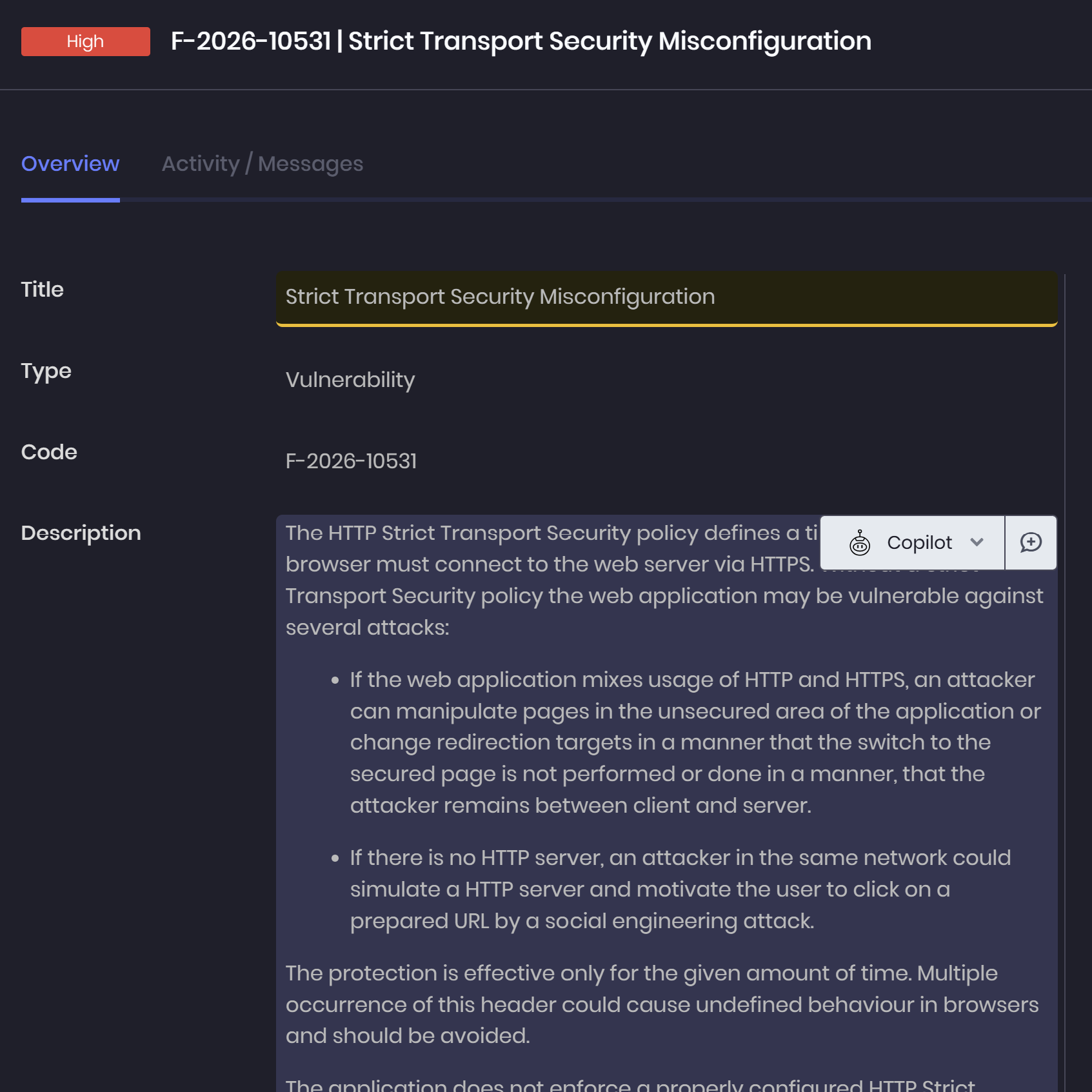
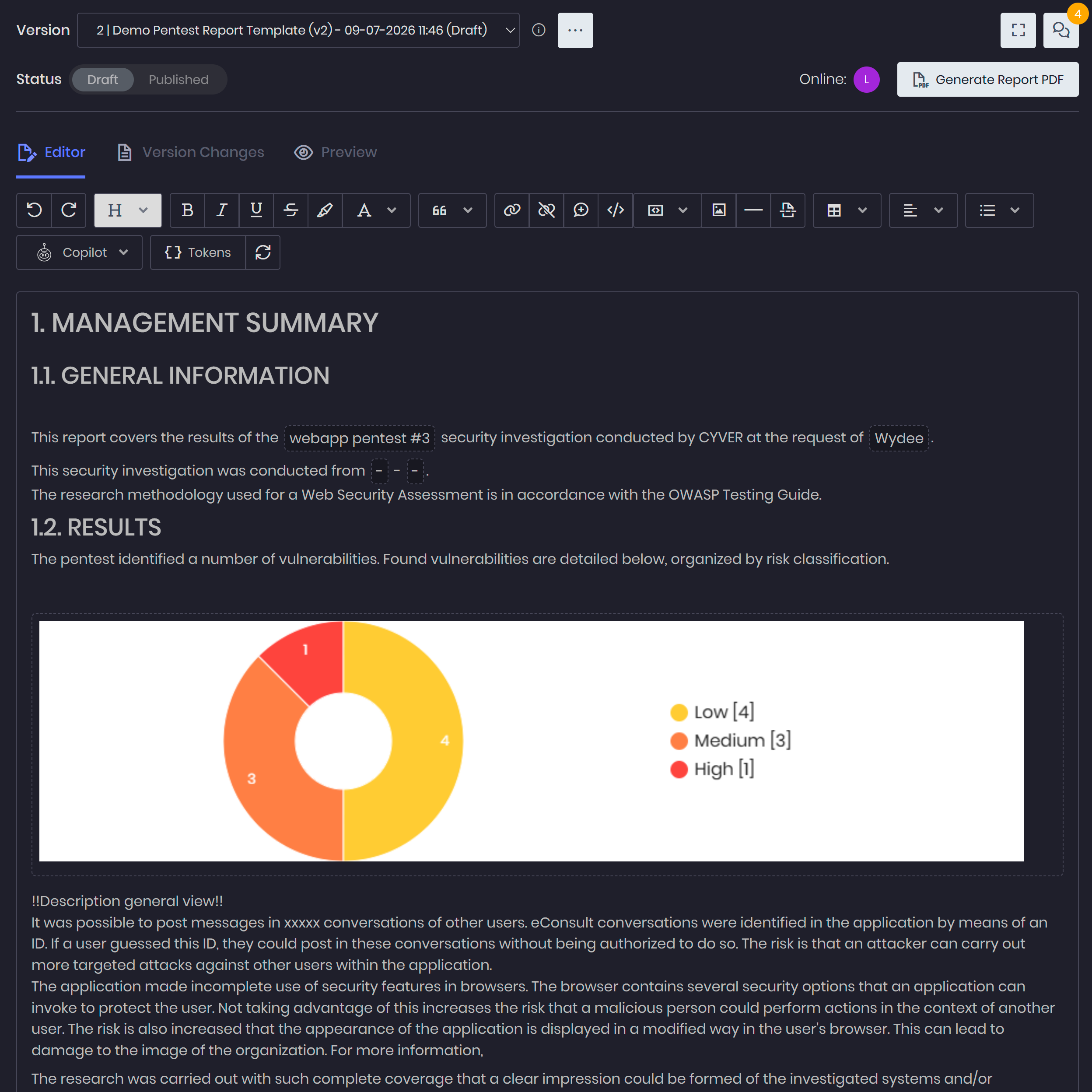
Reuse write-ups and Report Templates 
-
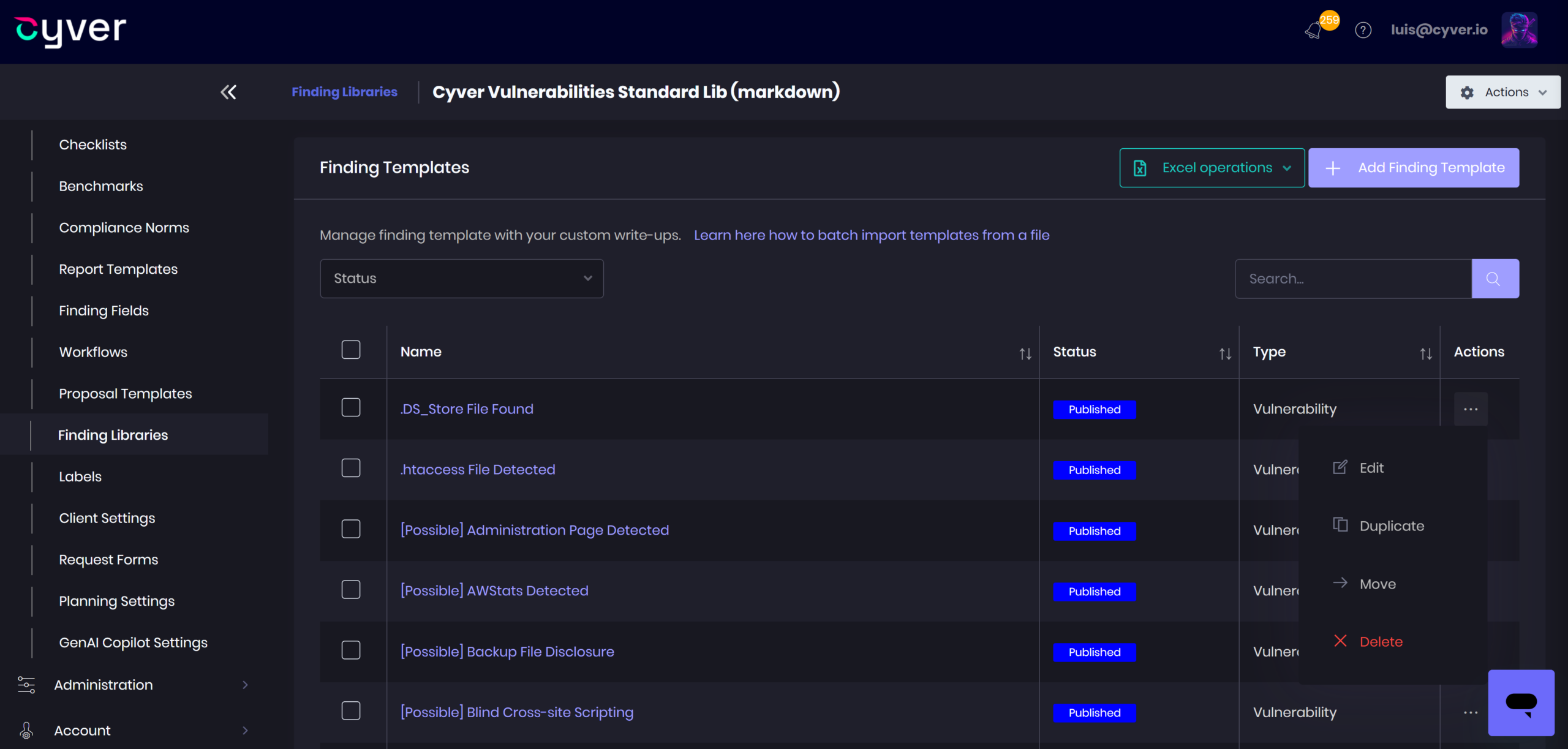
Finding libraries — Reuse vulnerability descriptions and remediation guidance across engagements.
-
Merge and clone findings — Consolidate imported entries or duplicate findings for further editing.
-
Master report templates — Standardize report structure with reusable templates and optional sections.
-
Dynamic report tokens — Populate report sections from project and finding data, reducing manual copy-paste.
-
Reusable text blocks — Maintain common methodology descriptions, disclaimers, and other recurring report content.
Team Collaboration & Quality Control 
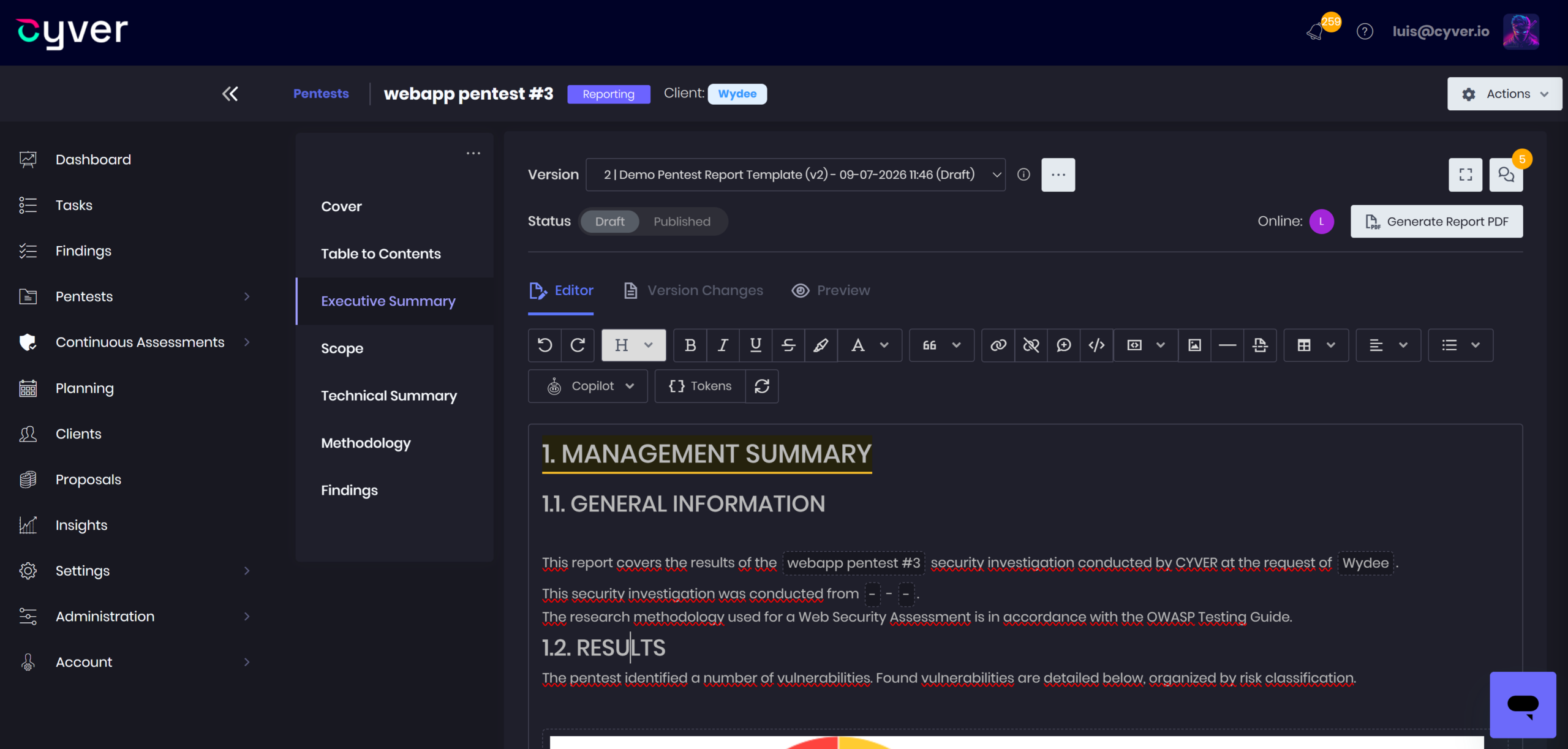
- Markdown and rich-text editors — Write technical findings and executive summaries in your preferred format.
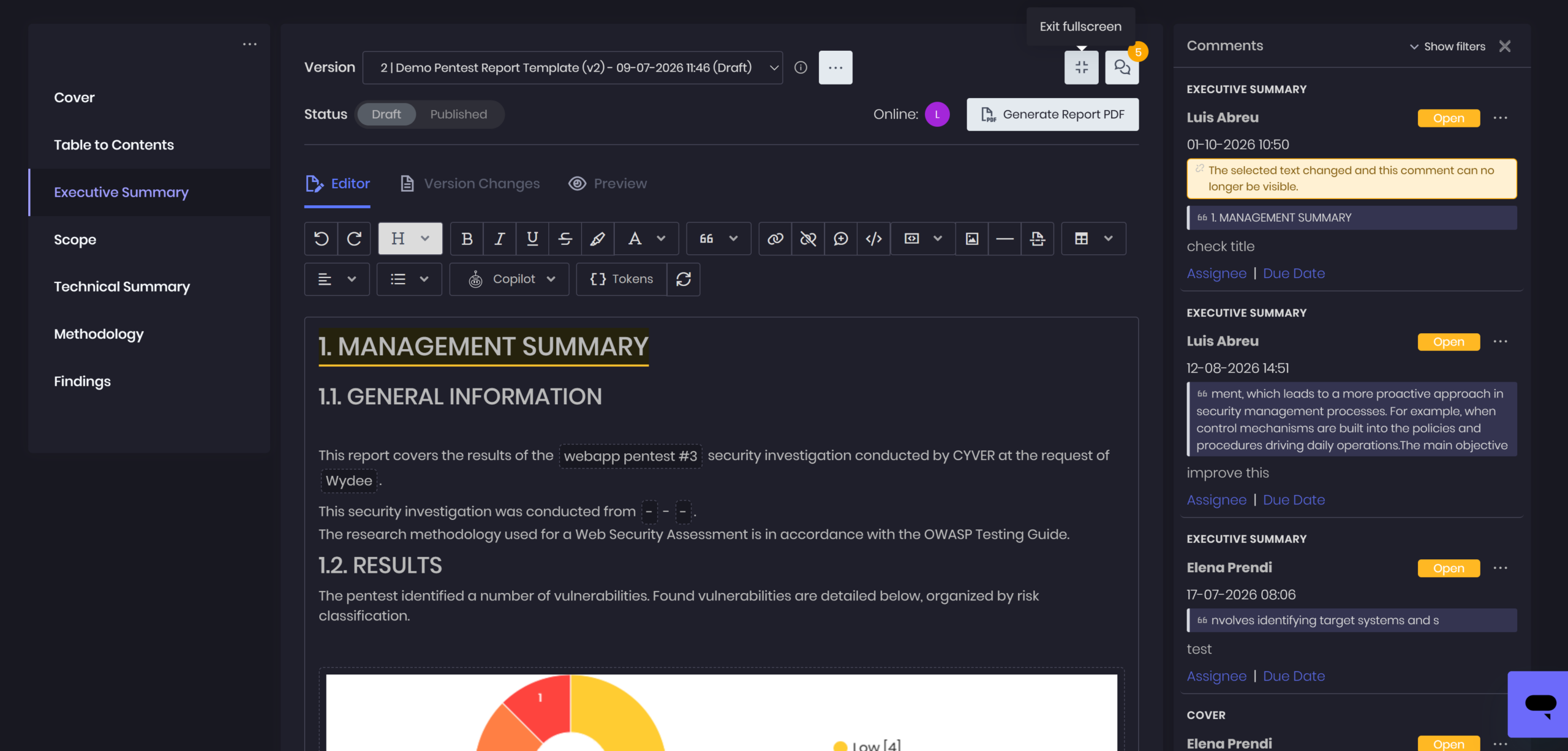
- Real-time collaboration — Edit the same report with teammates during preparation and review.
- Review comments — Keep reviewer feedback alongside the report content being discussed.
- Report versioning — Track revisions throughout the reporting process.
- Finding and library reviews — Review engagement findings and reusable write-ups through dedicated workflows.
Generate and Deliver Reports 
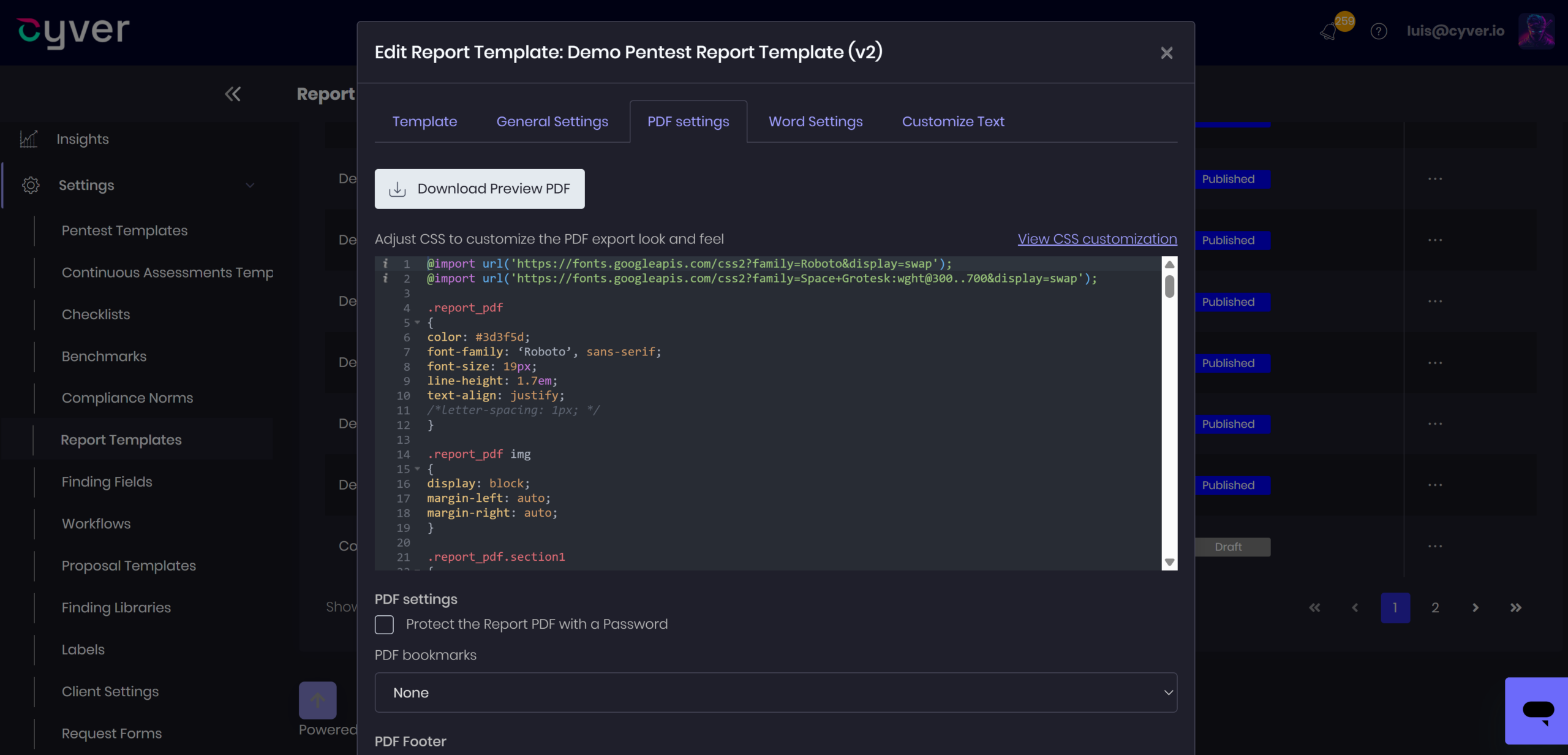
- Custom report styling — Configure branding, CSS, cover pages, headers, footers, and tables of contents.
- PDF and Word output — Generate client-ready PDFs or export reports to Word for further editing.
- Multilingual reporting — Prepare deliverables in the languages your clients require.
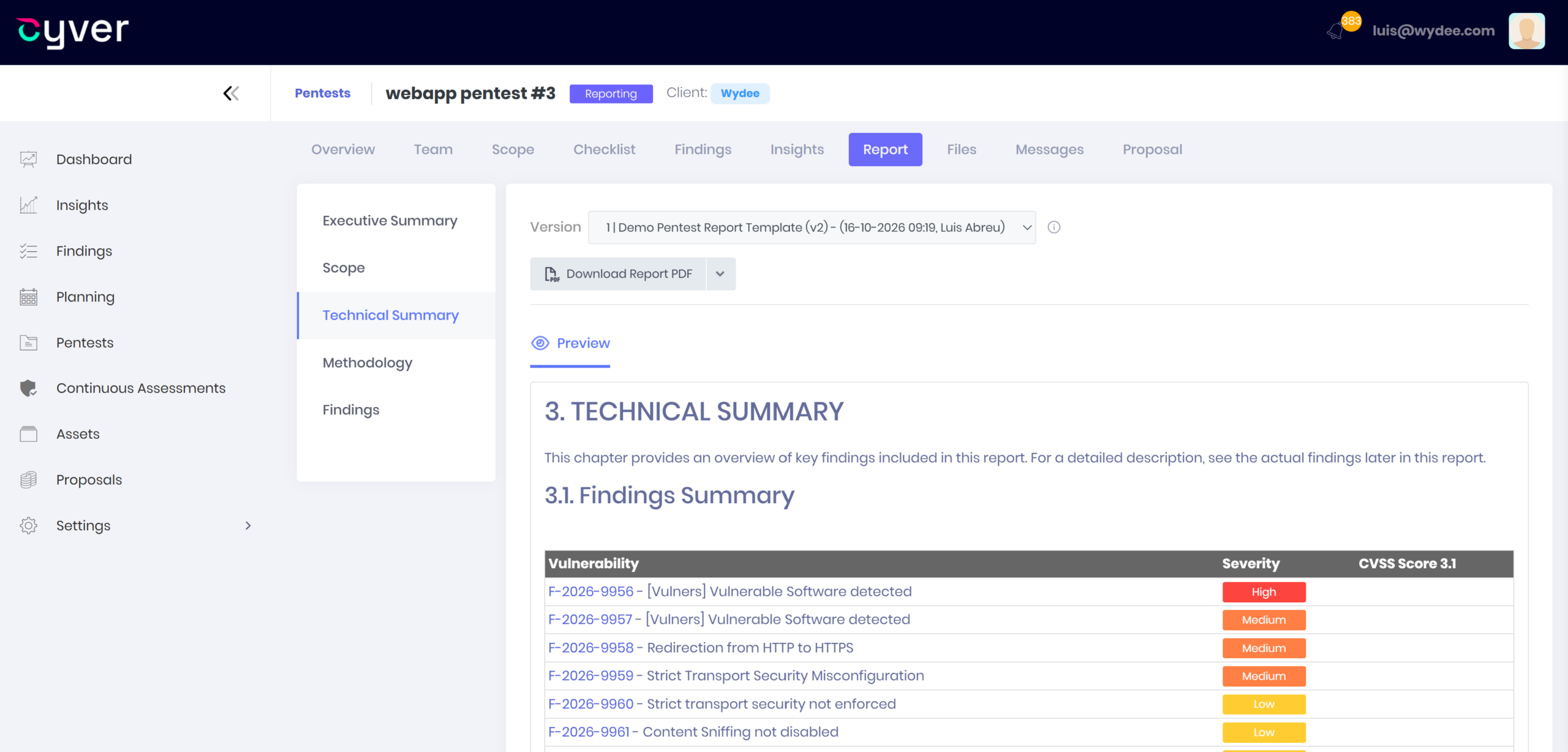
- Client portal delivery — Share reports through your branded portal and coordinate follow-up with clients.
- Retesting workflows — Keep finding and project retests connected to the original engagement.
Accelerate reporting with AI assistance 
-
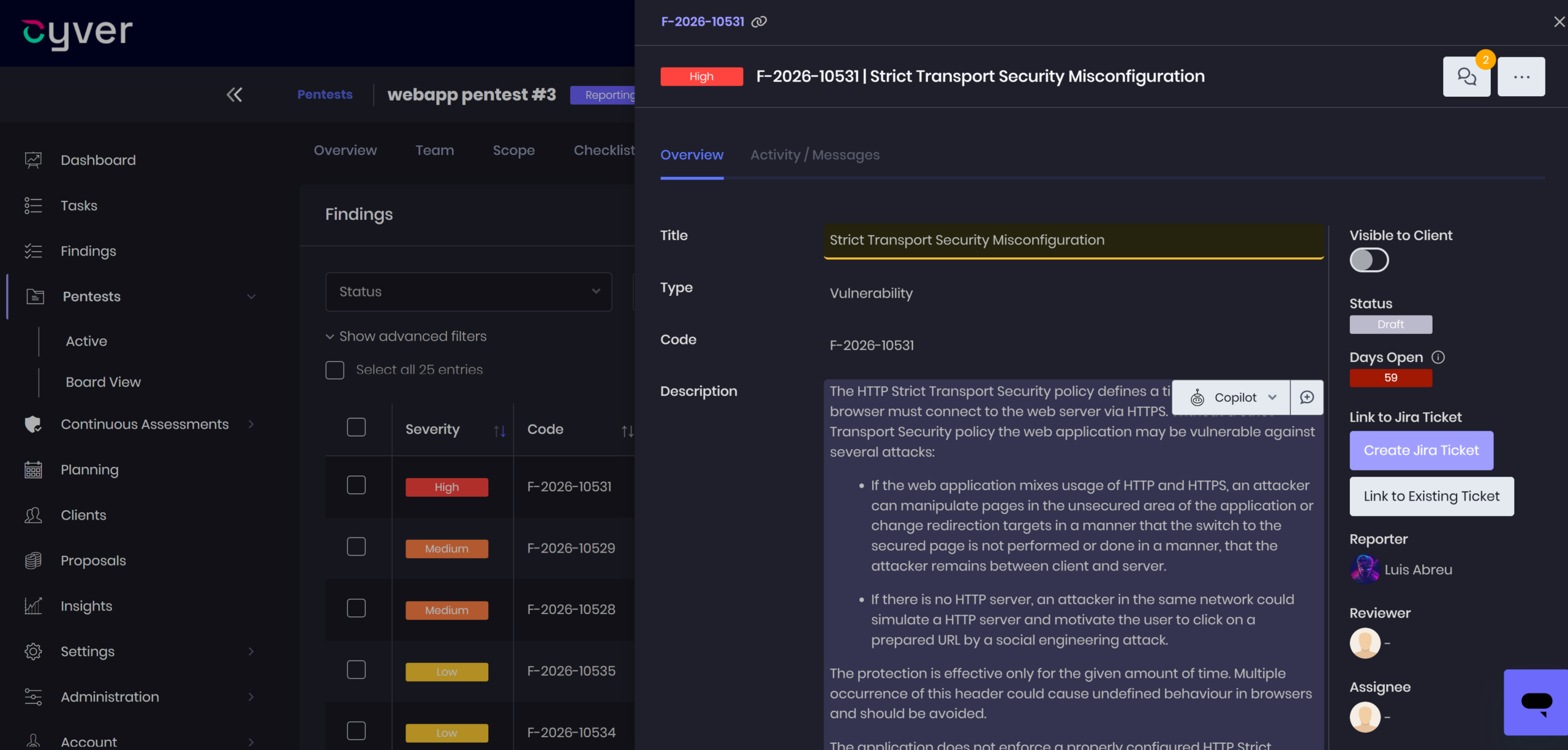
Finding descriptions — Draft vulnerability write-ups using project and finding context, then validate the technical details.
-
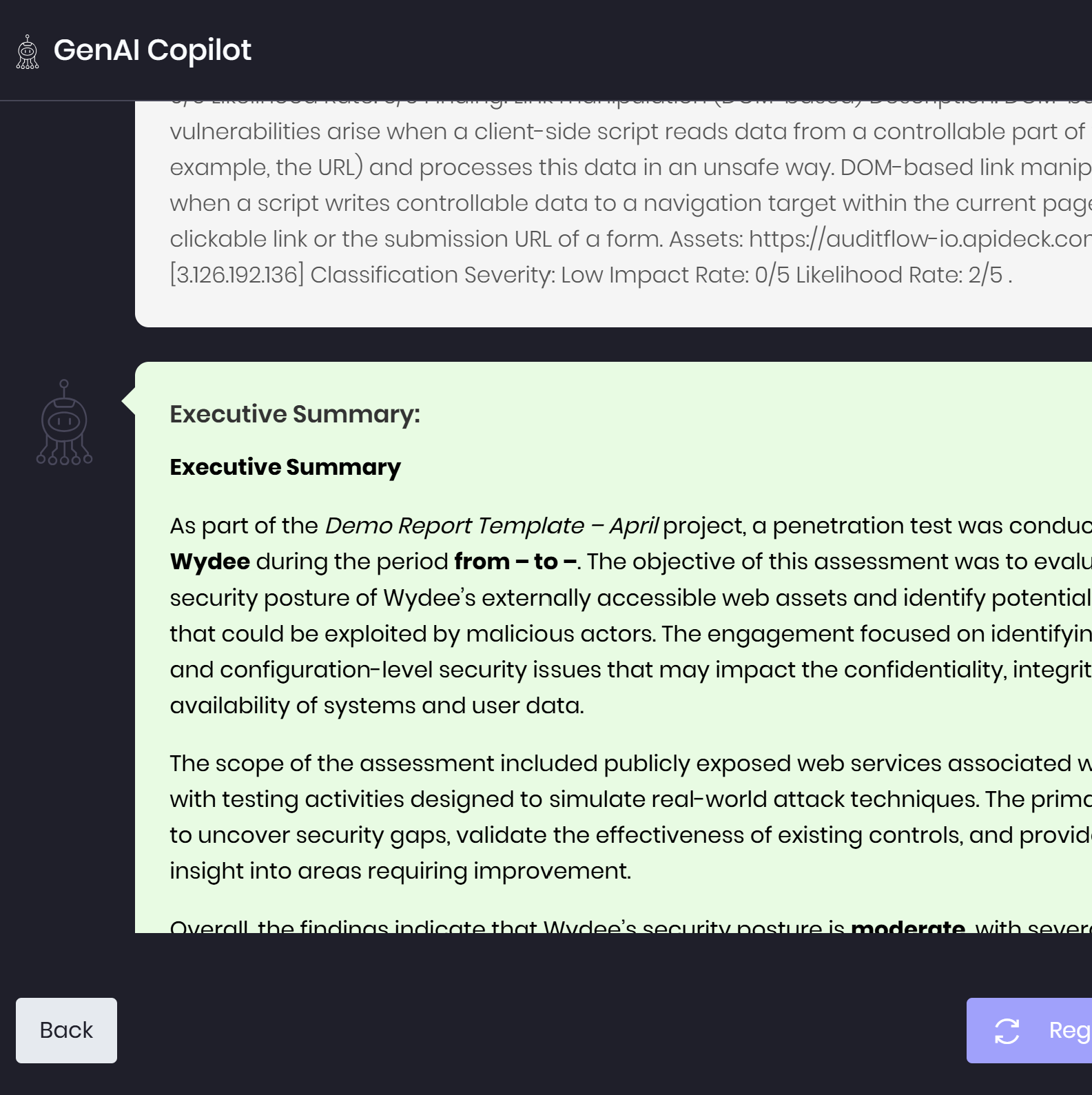
Executive summaries — Turn technical findings into clear summaries for non-technical stakeholders.
-
Custom editing prompts — Refine report sections for clarity, tone, and consistency with your reporting standards.
-
MCP-connected assistants — Connect ChatGPT or Claude to retrieve findings, inspect evidence, and update content within configured permissions.
-
Pentester oversight — Review and refine AI-generated content before including it in client deliverables.
Process
The Full Reporting Journey
With a full feature suite, our pentest management platform helps you streamline, automate, and simplify workloads at every step.

1. Scoping
Collect scoping and asset information in a secure portal and send Quotes and Statements of Work
2. Testing
Upload files directly from pentest tools, leverage findings libraries, and follow Checklist and Benchmarks


3. Reporting
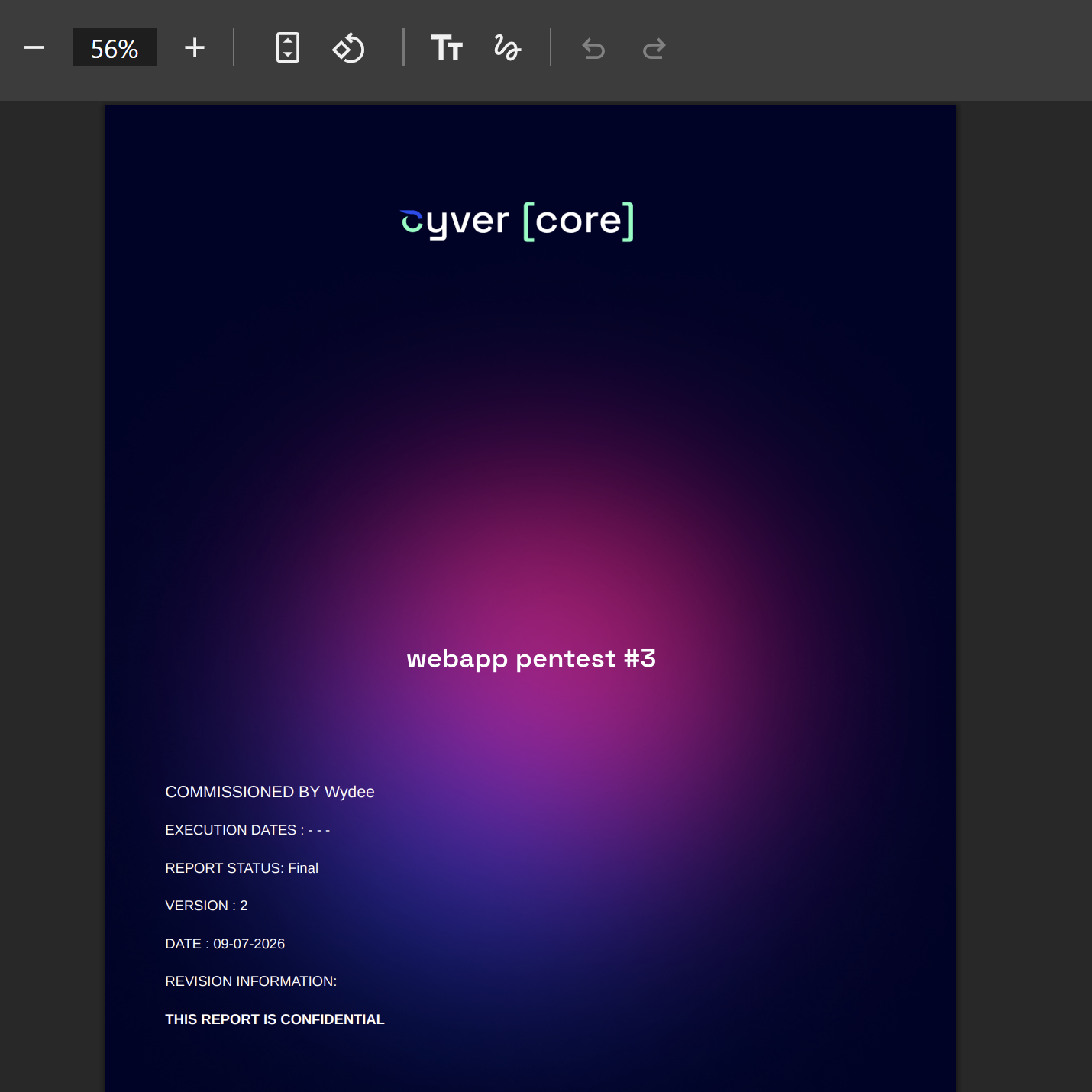
Streamline pentest reporting and generate branded reports for your clients with our automated pentest reporting tool
4. Delivery
Easily share findings and reports with clients in the white-label client portal


5. Retesting & Remediation
Enable findings or project level retesting, track remediation, and deliver recurring pentesting
%
Customer Satisfaction
%
Customer Retention
%
Reporting Time
%
Repetitive Work
Boost Use Case
Extend Your Pentest Reporting Workflow
Pentest reporting doesn’t happen in isolation. From preparing engagements to delivering results and coordinating teams, Cyver supports the full lifecycle of pentest operations.
Client Delivery
Deliver reports through a professional client experience.
- White-labeled client portal
- Share vulnerabilities and updates with clients
- Retesting workflows and remediation tracking
- Strengthen long-term client relationships

Sales Pipeline
Structure engagements before testing begins.
- Quotes and proposals
- Statement of Work management
- Client credit handling
- Approval workflows
Project & Team Management
Coordinate reporting across large pentest teams.
- Scheduling and shared calendars
- Gantt charts for engagement timelines
- Task assignment and tracking
- Internal comments and collaboration
Client Delivery
Deliver reports through a professional client experience.
- White-labeled client portal
- Share vulnerabilities and updates with clients
- Retesting workflows and remediation tracking
- Strengthen long-term client relationships
Sales Pipeline
Structure engagements before testing begins.
- Quotes and proposals
- Statement of Work management
- Client credit handling
- Approval workflows
Project & Team Management
Coordinate reporting across large pentest teams.
- Scheduling and shared calendars
- Gantt charts for engagement timelines
- Task assignment and tracking
- Internal comments and collaboration

Discover The Core Platform
AI Assistance
Hosting
Integrations & API
Whitepaper
Learn More About Pentest Reporting
& Report Automation With Cyver Core


Streamline your pentest reporting & get back to pentesting
“Cyver Core makes it possible to run pentests at this volume, we’d be a lot slower without it. On average, we’d be 3-4 days slower. You should see our reports, they’re beautiful, they’re curated, they have graphics and risk tables – and we spend less than 30 minutes on them.”
Any questions?
We're here to help
What is a Pentest Management Platform?
Pentest Management Platforms like Cyver Core digitize pentest workflows, replacing manual communication and reports with digital workflows. It means real-time results, live communication with clients, and findings as tickets. Plus, we offer automated pentest reporting, complete with integrations for tools like Burp Suite, Nessus, NMap, & more. Our goal is to help pentesters save time (70-85% of time spent on every report), reduce overhead hours for pentest management, and deliver pentest-as-a-service to clients.
How is Cyver Core Secured?
Cyver Core is fully secured, regularly pentested, and regularly backed up. We maintain SOC2 compliant infrastructure, as verified by external auditors. All user data is stored redundantly and automatically backed up inside Microsoft Azure architecture, with fully redundant server architecture and network connectivity. We take security seriously, and you can see a full list of our security practices in our security policy.
Will My Clients See I Use Cyver Core?
No! Cyver Core is fully white label. When you onboard your clients to our platform, they see your branding and brand name. You can also fully customize reports, project templates, and other digital assets. Your clients, your brand, your digital privacy, powered by Cyver Core.
How Does Cyver Core Automate Workflows?
Cyver Core utilizes standardized workflows to automatically progress projects based on pre-defined parameters and settings. You set up project templates and Cyver Core automatically performs workflows inside those, to move the project from one stage to the next, to create Findings tickets from imported data, to notify stakeholders, and to schedule the next pentest. In addition, Cyver Core uses automation and Smart features to auto-fill tickets, to create projects, and to generate reports, so you have to do the minimum manual work possible. Visit our features page to learn more.